PRO Z890-P offers a simple design with a harmonious silver color scheme that perfectly matches both white and black PC builds. It is engineered with many exclusive features of MSI, 5G LAN, Thunderbolt 4, PCIe 5.0 M.2 with EZ M.2 Shield Frozr II, and Supplemental PCIe Power, ready for the Intel® Core™ Ultra processors.


Less steps, control easily

14+1+1+1 DRPS

One-click overclocking

Extended Heatsink Design
M.2 Shield Frozr

5G LAN & Thunderbolt 4 support

Optimized UI / UX design


The PRO Series is tailored to professionals from all walks of life. The lineup features impressive performance and high quality, while aiming to provide users incredible experience. Users who care about productivity and efficiency can definitely count on the MSI PRO Series to assist you with multitasking and increasing efficiency.
EXCLUSIVE FEATURES


Digital PWM

Pre-installed I/O Shield


6-layer Server-grade PCB with 2oz Thickened Copper

EZ M.2 Shield Frozr II

PCIe Supplemental Power

2x 8 Pin Power Connectors

EZ Conn Design
HIGH-SPEED TRANSMISSION


Thunderbolt 4

5G Network Solution


DDR5 Support

Lightning Gen 5
PREMIUM THERMAL SOLUTIONS


7W/mK MOSFET Thermal Pads

Extended Heatsink
EZ M.2 Shield Frozr II

Pump Fan Support

Ready for AI PC
เมนบอร์ด MSI ออกแบบด้วยฮาร์ดแวร์และเทคโนโลยีระดับสูง รองรับการประมวลผลหนักๆ ทั้งการเล่นเกม และการใช้งาน AI ได้อย่างเต็มประสิทธิภาพ นอกจากนี้ เรายังได้นำเทคโนโลยี AI เข้ามาใช้ใน MSI Center และ BIOS ช่วยให้ทุกการควบคุมและการปรับแต่งเป็นเรื่องง่ายกว่าที่เคย
AI Engine
มาพร้อมระบบจัดหมวดหมู่ที่ช่วยให้คุณซิงก์แอปพลิเคชันที่ต้องการใช้งาน พร้อมปรับแต่งระบบให้อัตโนมัติ เพื่อสร้างสภาวะการทำงานที่สมบูรณ์แบบและสะดวกสบายที่สุด
AI LAN MANAGER
ช่วยปรับแต่งประสิทธิภาพเครือข่ายและลดค่าความหน่วง (Latency) เพื่อส่งมอบประสบการณ์ออนไลน์ที่ลื่นไหลไม่มีสะดุด
Frozr AI Cooling
ปรับความเร็วพัดลมอัตโนมัติ เพื่อให้ระบบเย็น เสถียร และทำงานได้เต็มประสิทธิภาพอยู่เสมอ
AI Boost
เป็นฟีเจอร์เอกสิทธิ์เฉพาะจาก MSI ที่ช่วยโอเวอร์คล็อก NPU เพื่อยกระดับประสิทธิภาพการประมวลผล AI ให้สูงยิ่งขึ้น
EZ DIY
- ONE-FINGER
- ONE HAND
- ONE STEP
- ONE GLANCE
- ONE CLICK
- EZ M.2 INSTALLATION
- EZ GPU INSTALLATION
- EZ BUTTON
The EZ M.2 Shield Frozr II is a tool-free cooling solution designed to protect your M.2 SSDs while ensuring optimal thermal performance. This upgraded version, compared to the previous design, features two notches on the back of the heatsink for better alignment with the motherboard slot. With just one finger, you can easily install or remove the M.2 heatsink, making the installation of your M.2 SSD more convenient.

MSI’s exclusive EZ M.2 CLIP II makes M.2 installation seamless. Insert the SSD card into the slot and press it down to lock it in place with the clip. As fasten the SSD, flick the clip outwards and then the SSD is removed. The process is smooth, and you don’t need to use your tools like before. One finger can give you perfect DIY experience.

Introducing MSI’s EZ M.2 CLIP II Remover, a handy tool designed to simply switching or repositioning the EZ M.2 CLIP II on your motherboard. This tool allows users to effortlessly detach the EZ M.2 CLIP II from the motherboard and reattach it to any desired M.2 slot. It is included in the accessory kit that comes with MSI motherboards.

One Finger for EZ GPU Installation
EZ PCIe Clip II แบบใหม่ ซึ่งติดตั้งอยู่บนช่องเสียบแรก มาพร้อมกับกลไกแรงดีดกลับ ที่ช่วยให้สามารถถอดการ์ดจอออกได้อย่างง่ายดาย เพียงแค่ใช้หนึ่งนิ้วกดลงไปที่ตัวล็อกบริเวณส่วนหาง และด้วยการออกแบบอันยอดเยี่ยมนี้ ผู้ใช้งานจึงสามารถถอดการ์ดจอออกได้อย่างสะดวกสบายไร้กังวล แม้ในพื้นที่ที่จำกัดหรือคับแคบภายในเคสคอมพิวเตอร์ก็ตาม


MORE FOR DIY FRIENDLY

ไม่จำเป็นต้องติดตั้ง CPU และแรม เรียนรู้เพิ่มเติม
- PRE-INSTALLED I/O SHIELD
- EZ Mounting
The Pre-Installed I/O Shield offers a streamlined and hassle-free installation experience by eliminating the need to manually fit the I/O shield during motherboard setup. With its built-in design, it ensures proper alignment and a secure fit, providing both protection and convenience while enhancing the overall durability of your build.

EZ MOUNTING
ลายวงจรบนเมนบอร์ด MSI ถูกออกแบบให้เว้นระยะห่างจากน็อตยึดเคสอย่างเป็นระเบียบและปลอดภัย นอกจากนี้ ยังมีการสกรีนสีป้องกันรอบรูยึดสกรูทุกจุด เพื่อป้องกันไม่ให้อุปกรณ์ขูดขีดหรือสร้างความเสียหาย แก่ตัวเมนบอร์ด

แจ้งเตือนป้องกันการกระแทก

ระยะเว้นปลอดภัย

ระบบป้องกันไฟฟ้าสถิตสองชั้น
- EZ Conn-Design
- DRIVER UTILITY INSTALLER
พอร์ต JAF_1 เอกสิทธิ์เฉพาะจาก MSI ช่วยให้พัดลม MPG EZ120 ARGB ทำงานได้ผ่านสายเชื่อมต่อเพียงเส้นเดียว นอกจากนี้ยังสามารถเปลี่ยนพอร์ต JAF_1 ให้กลายเป็นพอร์ต ARGB Gen 1 และพอร์ตพัดลมเพิ่มเติมได้ง่ายๆ ด้วยสาย 1-to-2 EZ Conn-Cable พิเศษ ช่วยลดความยุ่งยากของการจัดสายและเพิ่มประสิทธิภาพในการประกอบเครื่องอย่างลงตัว


MSI DRIVER UTILITY INSTALLER
เมื่อเชื่อมต่ออินเทอร์เน็ตแล้ว MSI Driver Utility Installer จะตรวจจับและแสดงรายการไดรเวอร์รวมถึงยูทิลิตี้ที่เหมาะสมให้โดยอัตโนมัติ ช่วยให้คุณสามารถดาวน์โหลดและติดตั้งทุกอย่างเสร็จสิ้นได้เพียงไม่กี่คลิก เรียนรู้เพิ่มเติม
*โปรดตรวจสอบให้แน่ใจว่าได้เชื่อมต่ออินเทอร์เน็ตแล้ว มิฉะนั้นโปรแกรม Driver Utility Installer จะไม่เปิดทำงานโดยอัตโนมัติ
*MSI Driver Utility Installer จะพร้อมใช้งานบน Windows 11 เวอร์ชัน (Build) 22H2 เป็นต้นไป.

- EZ DEBUG
- EZ Identify
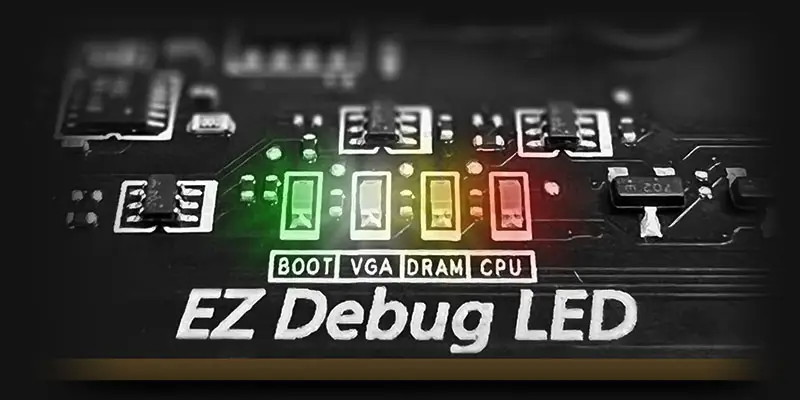
EZ DEBUG LED
ไฟ LED แจ้งสถานะบนบอร์ด จะช่วยระบุต้นตอของปัญหา ทำให้คุณรู้จุดที่ต้องตรวจสอบได้อย่างแม่นยำ เพื่อให้ระบบกลับมาเปิดใช้งานได้ตามปกติอีกครั้ง


- EZ OVERCLOCKING
- EZ Optimization
- AI BOOST
EZ Ooverclocking
While overclocking can be overly complex for some, MSI Click BIOS X made it more accessible with multiple one-click overclock features for both processor and memory, allowing users to easily enhance system performance without delving into intricate settings.
-

CREATION BOOST
One-click CPU overclock automatically optimizes your CPU performance, instantly tuning it to the best possible level.
-

AI BOOST
An intelligent algorithm boosts NPU performance to get the best possible AI performance when you need additional horsepower.
*Enabled with compatible processors. -

XMP
Choose from preset XMP profiles to automatically overclock compatible DDR memory for optimal performance.

จัดเต็มด้วยหลากหลายฟีเจอร์ AI ที่เข้ามาช่วยยกระดับทุกประสบการณ์การใช้งานคอมพิวเตอร์ของ คุณ ด้วยการปรับแต่งระบบให้ชาญฉลาดแบบเรียลไทม์ พร้อมซอฟต์แวร์ MSI Center ที่มาในหน้าตา ดีไซน์เรียบหรูและใช้งานง่าย ช่วยให้คุณปรับแต่งและจัดการตั้งค่าพีซีได้ตามต้องการ ยกตัวอย่างเช่น AI Engine ที่จะช่วยปรับการตั้งค่าของระบบให้อัตโนมัติโดยอิงจากแอปพลิเคชันที่คุณกำลังใช้งาน เพื่อประสิทธิภาพที่ลื่นไหลที่สุด

MSI AI Boost offers three-stage NPU overclocking, allowing users to adjust NPU performance based on their specific needs. This easy-to-use feature makes NPU overclocking both convenient and accessible, enabling users to boost NPU power effortlessly. Tested by MSI OC LAB, AI Boost can achieve up to a 27% performance increase, significantly improving AI computing tasks.

ULTRA PERFORMANCE
- Power Solution
- memory
- PROTECTION
- POWER DESIGN
- PCB DESIGN
- EZ OC TUNING
- MORE FOR PERFORMANCE
14+1+1+1 DRPS POWER DESIGN
Unleash and sustain the maximum performance with a flagship VRM design built with a total of 14+1+1+1 digital power phases. Combining dual power connectors and 55A DrMOS, PRO Z890-P is ready for the challenge of high-end processors.
14
PHASES
1
PHASE
1
PHASE
1
PHASE

CPU Power

Core Boost

Digital Power

OPTIMIZED PCB SOLUTION
The PCB design has been optimized for higher bandwidth and faster transfer speeds, which is also beneficial for reliable circuit transmission.

- 6 PCB layers
- NPG-170D Server-grade PCB material
- 2oz Thickened Copper
The MSI Performance Preset simplifies power limit management through four intuitive profiles: Intel Default, MSI Performance, MSI Extreme, and MSI Unlimited Settings.
*Please note that available presets may vary based on CPU and motherboard configurations, the image shown are for illustrative purposes only.

CPU Lite Load Control is a feature that allows for easy adjustment of the AC/DC loadline settings. It is primarily used to fine-tune the CPU's operating voltage to optimize power consumption and thermal performance. The system can maintain stable performance while improving energy efficiency, reducing overall power consumption and temperature. This feature is ideal for users who want more precise control over system power management.

MSI motherboards allow users to fine-tune their overclocking by offering the flexibility to synchronize CPU BCLK and SOC BCLK or adjust them separately. This versatile approach gives users the freedom to choose between unified control or individual overclocking of the CPU and SOC, based on their performance needs. Users can achieve more precise tuning, allowing for more excellent optimization of their system’s performance.

ยกระดับเพื่อขีดสุดแห่งประสิทธิภาพ


- DDR5
- Memory Extension Mode
DDR5 MEMORY SUPPORT WITH HIGH PERFORMANCE
A huge step of DDR performance enhancement with the latest DDR5 memory. Combines with dedicated SMT welding process and MSI Memory Boost technology, PRO Z890-P WIFI is ready to deliver the world-class memory performance.

Memory Extension Mode
Memory Extension Mode provides optimized memory parameters for enhanced capability at the same frequency, achieving lower latency and higher performance. Furthermore, Memory Extension Mode can combine XMP profiles to maximize memory frequency, enabling users to effortlessly discover the best configuration based on their requirements.


Performance Mode, Benchmark Mode, Memtest Mode and High Efficiency Mode provide users with the flexibility to swiftly identify the ideal configuration tailored to their requirements and memory overclocking capabilities.
- TVS
- SOLID PIN DESIGN
- STAINLESS STEEL IO
- OCP Protection
- GROUNDING STRUCTURE
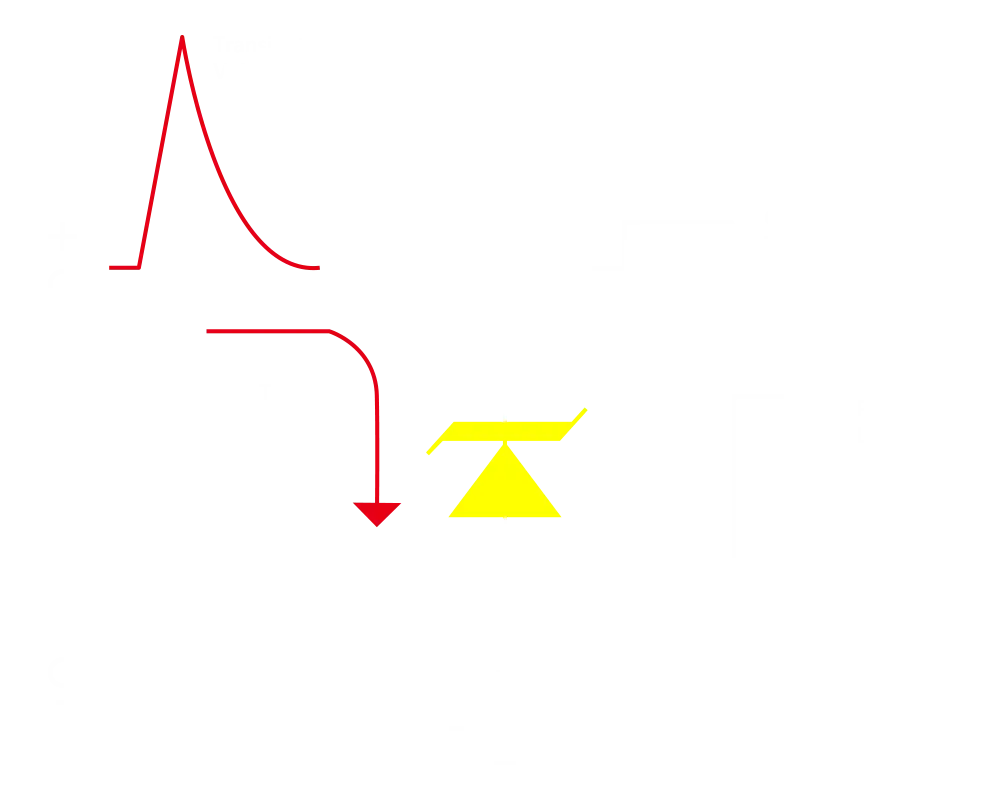
Transient Voltage Suppressors (TVS)
Transient Voltage Suppressors (TVS) คืออุปกรณ์ความปลอดภัยที่ใช้สำหรับป้องกันแรงดันไฟฟ้าที่สูงเกินไป โดยเมนบอร์ดของ MSI ทุกรุ่นได้รับการติดตั้ง TVS นี้มาให้อย่างครบครัน ซึ่งเมื่อแรงดันไฟฟ้าพุ่งสูงขึ้นอย่างผิดปกติ TVS จะเปลี่ยนสถานะจากความต้านทานสูง เป็นความต้านทานต่ำ ทันที เพื่อเบี่ยงทิศทางของแรงดันไฟฟ้าที่เกินนั้นลงดิน วิธีนี้จะช่วยป้องกันไม่ให้วงจรได้รับความเสียหายจากแรงดันไฟฟ้าสูงได้อย่างมีประสิทธิภาพ
solid pin design
คอนเน็กเตอร์จ่ายไฟแบบ 8 พิน และ 24 พินบนเมนบอร์ดของ MSI ทั้งหมด ได้รับการออกแบบให้เป็นขั้วต่อแบบขาตัน ซึ่งการออกแบบขาตันนี้ช่วยให้การส่งผ่านกระแสไฟ 12V ไปยัง CPU มีความเสถียรมากยิ่งขึ้น แม้ในสภาวะที่ต้องรองรับโหลดกระแสไฟฟ้าสูงก็ตาม
ข้อดีของคอนเน็กเตอร์จ่ายไฟแบบขาตัน
- ความเสถียรที่เหนือกว่า: พื้นที่หน้าสัมผัสที่ใหญ่ขึ้นช่วยเพิ่มความเสถียรในระหว่างการจ่ายพลังงานไฟฟ้า
- ความต้านทานต่ำ: ขาต่อแบบตัน มอบค่าความต้านทานทางไฟฟ้าที่ต่ำ ช่วยให้กระแสไฟไหลผ่านได้อย่างมีประสิทธิภาพ
- ความทนทานสูง: การออกแบบด้วยขาต่อแบบตัน ช่วยให้มั่นใจได้ถึงความทนทานที่แข็งแกร่ง พร้อมรองรับทุกสภาวะการใช้งานที่หนักหน่วง
- เหมาะสำหรับการใช้งานที่ต้องรองรับกระแสไฟฟ้าสูง

ฝาหลังพอร์ตเชื่อมต่อ I/O สแตนเลสกันสนิม
เสริมชั้นฟองน้ำชนิดพิเศษร่วมกับฝาหลังป้องกันการกัดกร่อน ช่วยลดการเกิดไฟฟ้าสถิตและลดสัญญาณรบกวนจากคลื่นแม่เหล็กไฟฟ้า EMI ของระบบ พร้อมความทนทานที่เหนือกว่าฝาหลังแบบทั่วไปอย่างชัดเจน


* ภาพข้างต้นใช้เพื่อการโฆษณาเท่านั้น กรุณาตรวจสอบรายละเอียดเพิ่มเติมที่หน้าข้อมูลจำเพาะ
Over Current Protection
เมนบอร์ดของ MSI ให้ความสำคัญกับความปลอดภัยเป็นอันดับแรกด้วยระบบป้องกันกระแสไฟเกิน Overcurrent Protection (OCP) ที่ติดตั้งมาในตัว ช่วยให้มั่นใจได้ว่าส่วนประกอบสำคัญต่างๆ เช่น พอร์ต USB, หน่วยความจำ DDR, ชิปควบคุมกระแสไฟ (PWM IC) และ CPU จะได้รับการปกป้องอย่างปลอดภัยจากกระแสไฟฟ้าที่สูงเกินไป กลไกการป้องกันเชิงรุกนี้จะช่วยลดความเสี่ยงต่อความเสียหายหรือการทำงานผิดพลาดที่เกิดจากไฟกระชาก พร้อมทั้งส่งเสริมความเสถียรของระบบในระยะยาว ความมุ่งมั่นในการปกป้องฮาร์ดแวร์ของคุณนี้เองที่ตอกย้ำถึงความตั้งใจของ MSI ในการผลิตเมนบอร์ดที่เน้นความทนทานและความเสถียรเป็นหลัก


The Grounding Structure of Power Phases
โครงสร้างระบบสายดินของภาคจ่ายไฟ ถือเป็นเอกสิทธิ์การออกแบบเฉพาะของ MSI โดยดีไซน์ที่ได้รับสิทธิบัตรนี้สามารถช่วยยับยั้งสัญญาณรบกวนแม่เหล็กไฟฟ้า (EMI) ที่เกิดจากภาคจ่ายไฟได้อย่างมีประสิทธิภาพ พร้อมทั้งช่วยนำพาความร้อนไปสู่ชั้นทองแดงที่มีคุณสมบัติเป็นสายดินได้อย่างรวดเร็วและมีประสิทธิภาพสูง


FROZR DESIGN
- FROZR GUARD
- FROZR SYNC
- FROZR CONTROL
- cooling overview
Cooling Overview

-
Extended Heatsink
Extended Heatsink enlarges the surface of heat dissipation and maintain the performance at heavy loads.
-
M.2 Shield Frozr
Strengthened M.2 thermal solution helps keep M.2 SSD safe and ensures incredible performance.
-
Heavy Plated VRM Heatsink
The VRM heatsink covers the upper MOS and helps dissipate the heat.
-
7W/mK Thermal Pad & Additional Choke Pad
High-quality 7W/mK MOSFET thermal pads and additional choke thermal pads ensure stable performance when all cores are runnging at high speed.
-
Enlarged Chipset Heatsink
The enlarged heatsink is designed to reduce dust and noise and capable of maintaining high efficiency of heat dissipation.
- SYSTEM COOLING
- COMBO FAN
DIY 2.0 – INTEGRATING WITH THE SYSTEM ENVIRONMENT
Connect and synchronize with MSI coolers and cases with strategically positioned pin-header locations including a dedicated pump-fan header.

FOR CPU COOLER

FOR LIQUID COOLER
3A power deliver / Supports auto-detect

FOR SYSTEM FAN
Supports auto-detect

EXCLUSIVE EZ CONN. - JAF_1
2A power deliver(fan) / Supports dedicate MSI PC components.
Lean more
Combo Fan Header
The MSI Combo Fan Header is a versatile component, functioning as both a pump and or fan header. The header will automatically detects whether it is either pump or PWM/DC fan, with it's distinctive gray color ensuring easy identification


- COOLING WIZARD
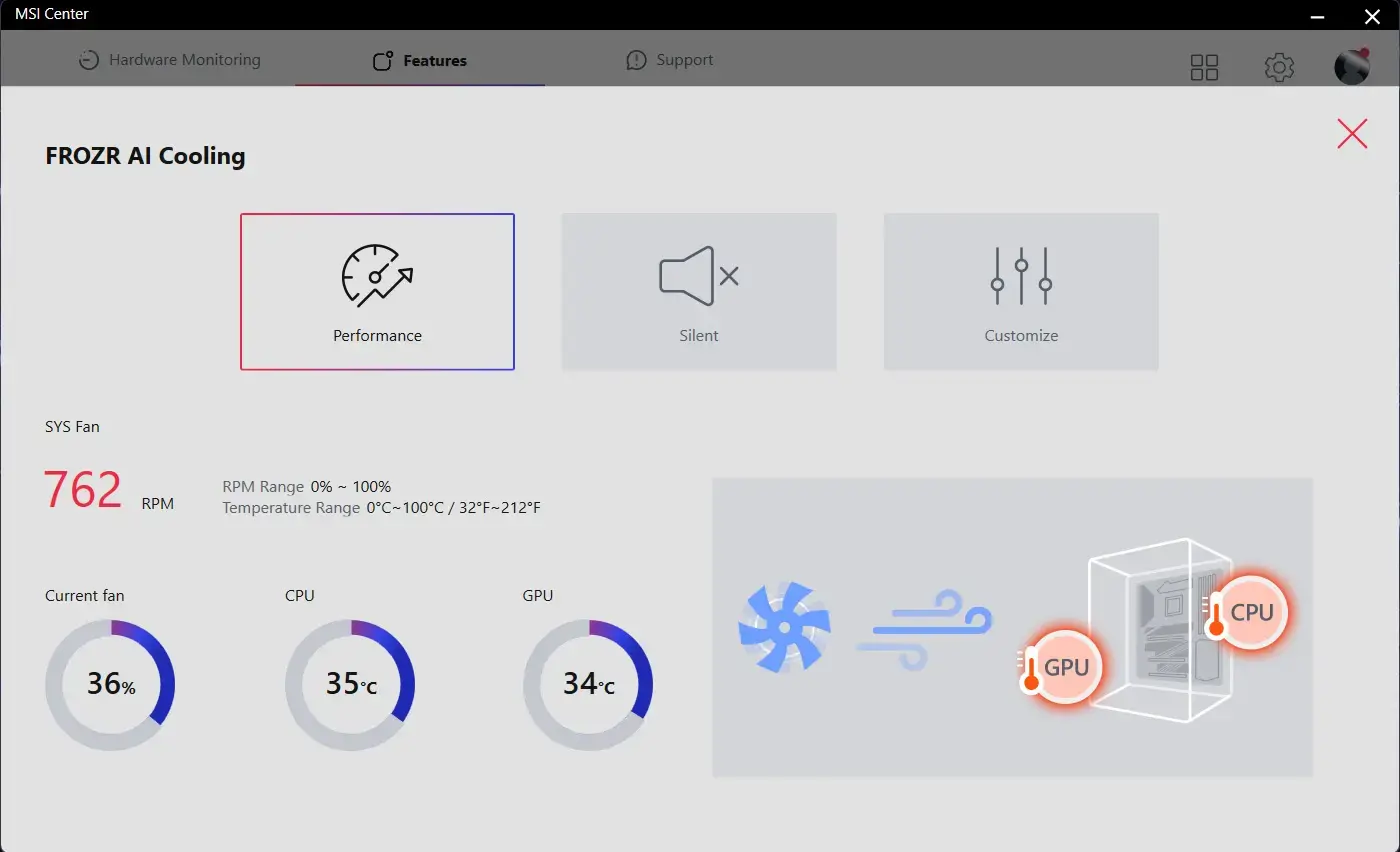
- FROZR AI COOLING
- AUTO DETECT FAN
Cooling Wizard ฟีเจอร์จัดการพัดลมครอบคลุมทุกอุปกรณ์ MSI มอบความยืดหยุ่นด้วยการรองรับพัดลมและปั๊มน้ำระบบ PWM/DC ปรับแต่งความเย็นและลดเสียงรบกวนให้พีซีของคุณได้อย่างง่ายดาย พร้อมระบบติดตามอุณหภูมิแบบเรียลไทม์ ปรับจูนประสิทธิภาพสูงสุดได้เพียงคลิกเดียว

Multiple Profiles
บันทึกได้สูงสุด 5 โปรไฟล์ รองรับการใช้งานในทุกสถานการณ์


พัดลมอัจฉริยะ & ปรับแต่งเอง
-
Smart Fan
ปรับแต่งเส้นโค้งอุณหภูมิได้อย่างง่ายดายด้วยจุดปรับ 4 จุด
-
Manual Fan
ปรับตั้งค่าอุณหภูมิตามเปอร์เซ็นต์ที่กำหนดได้ด้วยตนเอง


User Scenario
-
Follow MSI Center Mode
ปรับแต่งการทำงานของพัดลมอัตโนมัติตามโหมดการใช้งานที่คุณเลือกใน User Scenario
-
BIOS Mode
ปรับตั้งค่าพัดลมใน BIOS
-
Customize by User
ปรับแต่งตั้งค่าพัดลมได้โดยผู้ใช้


Frozr AI Cooling ระบบตรวจจับอุณหภูมิ CPU และ GPU อัจฉริยะ ปรับระดับความเร็วพัดลมระบบให้อัตโนมัติ เพื่อคงประสิทธิภาพการทำงานในระดับสูงสุด
พินเชื่อมต่อพัดลมของ MSI สามารถตรวจจับโหมดการทำงานของพัดลมทั้งแบบ DC และ PWM ได้โดยอัตโนมัติ เพื่อปรับแต่งความเร็วพัดลมและความเงียบได้อย่างสมบูรณ์แบบ พร้อมระบบ Hysteresis ที่ช่วยให้พัดลมเร่งความเร็วรอบได้อย่างนุ่มนวล ไม่กระชากเสียง มั่นใจได้ว่าเครื่องของคุณจะทำงานอย่างเงียบสงบในทุกสถานการณ์

TRILINK
- networking
- storage
- Expansion
- 5G LAN
HIGH-BANDWIDTH AND LOW-LATENCY NETWORK
MSI’s premium network solution provides incredible data transfer speed for demanding users.

- STORAGE
FAST AND FUTURE-READY STORAGE
MSI PRO series motherboards support all the latest storage standards, which allows users to connect any ultra-fast storage device. Start games faster, load levels faster and have a real advantage over your enemies.
1x

3x


- LIGHTNING GEN 5 PCI-E
- PCIe SUPPLEMENTAL POWER
- TBT4 SUPPORT
- TBT5 READY
- FRONT USB TYPE-C
LIGHTNING GEN 5 PCI-E WITH STEEL ARMOR

LIGHTNING GEN 5 PCI-E
Doubling over the previous generation, the bandwidth of a x16 interface can reach 128GB/s.

SMT PCIE 5.0 SLOT
The advanced SMT(Surface Mount Technology) PCIE slot diminish interference and electrical noise, fully support the PCI-E 5.0 signal.



HEAVY SOLDERED CONNECTIONS
MSI PCI Express Steel Armor slots are secured to the motherboard with extra solder points and support the weight of heavy graphics cards. When every advantage in games counts, Steel Armor shields the point of contact from electromagnetic interference.
PCIe supplemental power
The exclusive Supplemental PCIe Power connector provides dedicated power for the high-power demands of GPUs used in AI computing and gaming, ensuring stable, efficient, and sustained performance. Learn more about chassis compatbility.


Connect multiple Thunderbolt™ devices in a daisy chain, allowing data, power, and video signals to flow from the computer to up to five accessories. Alternatively, use a Thunderbolt™ hub or dock to consolidate all accessories into a single connection to your Thunderbolt™ computer.
Thunderbolt™ lets gamers play large file-sized games directly from an external drive, freeing up computer storage. Creators can quickly back up large video and photo files for peace of mind. With 40 Gbps bandwidth, Thunderbolt™ efficiently handles data and video, ideal for heavy workloads and fast file transfers.
Rich display options: Up to two 4K 60 Hz displays or one 8K 60 Hz display on a single connection.
Ready for the Future - Thunderbolt 5 Ready
Delivers up to 160 Gbps of total bandwidth transmission for the latest super-speed devices and drives. The ports can be employed for up to multiple external 8K displays, and support up to 27W of rapid power delivery charging.

*The MSI THUNDERBOLTM5 card is for illustrative purposes only and is not included in the package.
-

Total 160Gbps Transmission Speed
Transfers large files faster than before
-

Adaptive bandwidth allocation
Supports simultaneous transfer of data, images, videos, and more
-

27W Power Delivery
Delivers up to 27W for rapid charging
USB FRONT TYPE-C
รองรับ USB Front Type-C เชื่อมต่ออุปกรณ์ล้ำสมัยได้ง่ายยิ่งขึ้น ยิ่งใช้งานร่วมกับเคส MSI ยิ่งได้รับ ประสบการณ์ที่สะดวกสบายสูงสุด


Experience
- audio
- mystic light
- BIOS
- Software
- Audio Boost
- Isolated Analogy Structure
audio boost
- HIGH DEFINITION AUDIO PROCESSOR
- HIGH QUALITY AUDIO CAPACITORS
- HIGH QUALITY AUDIO JACKS
- ISOLATED AUDIO SIGNAL
- DE-POP PROTECTION


The Isolated Analogy Structure for Audio Connectors
เพื่อมอบเสียงสนทนาที่คมชัดใสสะอาด MSI ได้พัฒนาโครงสร้างที่เป็นเอกลักษณ์เฉพาะตัว นั่นคือ "โครงสร้างแยกส่วนสัญญาณอนาล็อก" โดยโครงกรอบโลหะภายนอกของช่องเสียบสายสัญญาณเสียง จะถูกแยกออกจากแผงวงจรภายในอย่างเด็ดขาด ซึ่งช่วยรับประกันว่าคุณภาพเสียงที่ได้จะมีความใสเคลียร์และคมชัดสูงสุด


* ภาพข้างต้นใช้เพื่อการโฆษณาและเป็นภาพประกอบเท่านั้น โปรดอ้างอิงรายละเอียดเพิ่มเติมจากหน้าข้อมูลจำเพาะ
- Mystic Light
- Synchronized
GLOW YOUR PC
แต่งแต้มสีสันและเอฟเฟกต์ไฟ RGB อันมีชีวิตชีวาด้วยฟีเจอร์ Mystic Light บนโปรแกรม MSI Center ที่มาพร้อมเฉดสีนับล้านและเอฟเฟกต์ไฟ LED สุดล้ำ ให้คุณเพลิดเพลินไปกับการควบคุมและสร้างสรรค์แสงไฟบนพีซีของคุณได้อย่างอิสระและเบ็ดเสร็จภายในซอฟต์แวร์เดียว
-
Wave
-
Steady
-
Flame
-
Breathing
-
CPU Temperature
-
Color Ring
-
Lightning
-
Receration
-
Meteor
-
Default
เพิ่มสีสันให้สะใจยิ่งขึ้น! พินเฮดเดอร์ส่วนขยาย Mystic Light ช่วยให้คุณควบคุมแถบไฟ RGB เพิ่มเติมและอุปกรณ์เสริม RGB อื่นๆ ที่ติดตั้งในระบบได้อย่างง่ายดายและเป็นธรรมชาติ โดยไม่ต้องใช้กล่องควบคุม RGB แยกต่างหาก
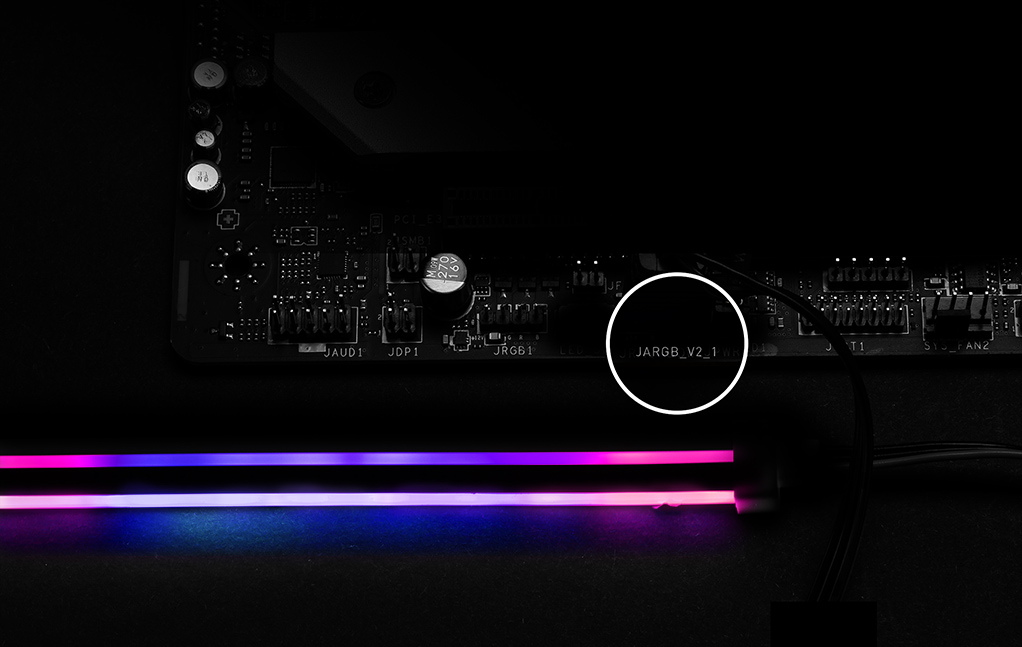
*อุปกรณ์ Gen2 รองรับเพียง 7 ธีม RGB เท่านั้น


- Click BIOS X
- BIOS KEY FEATURES
MSI’s newly designed CLICK BIOS X offers an aesthetically pleasing and user-friendly experience. The new design ensures that users of all experience levels can quickly access and adjust system configurations with ease.


- MSI CENTER
- AIDA64
- NORTON 360
MSI CENTER
MSI Center โฉมใหม่ล่าสุดจาก MSI รวบรวมยูทิลิตี้ซอฟต์แวร์ต่างๆ ของ MSI เข้าไว้ด้วยกันในแอปพลิเคชันส่วนกลางเพียงแอปเดียว ควบคุมฟีเจอร์ขั้นสูงของเมนบอร์ดและปลดล็อกความเป็นไปได้ที่ไร้ขีดจำกัด


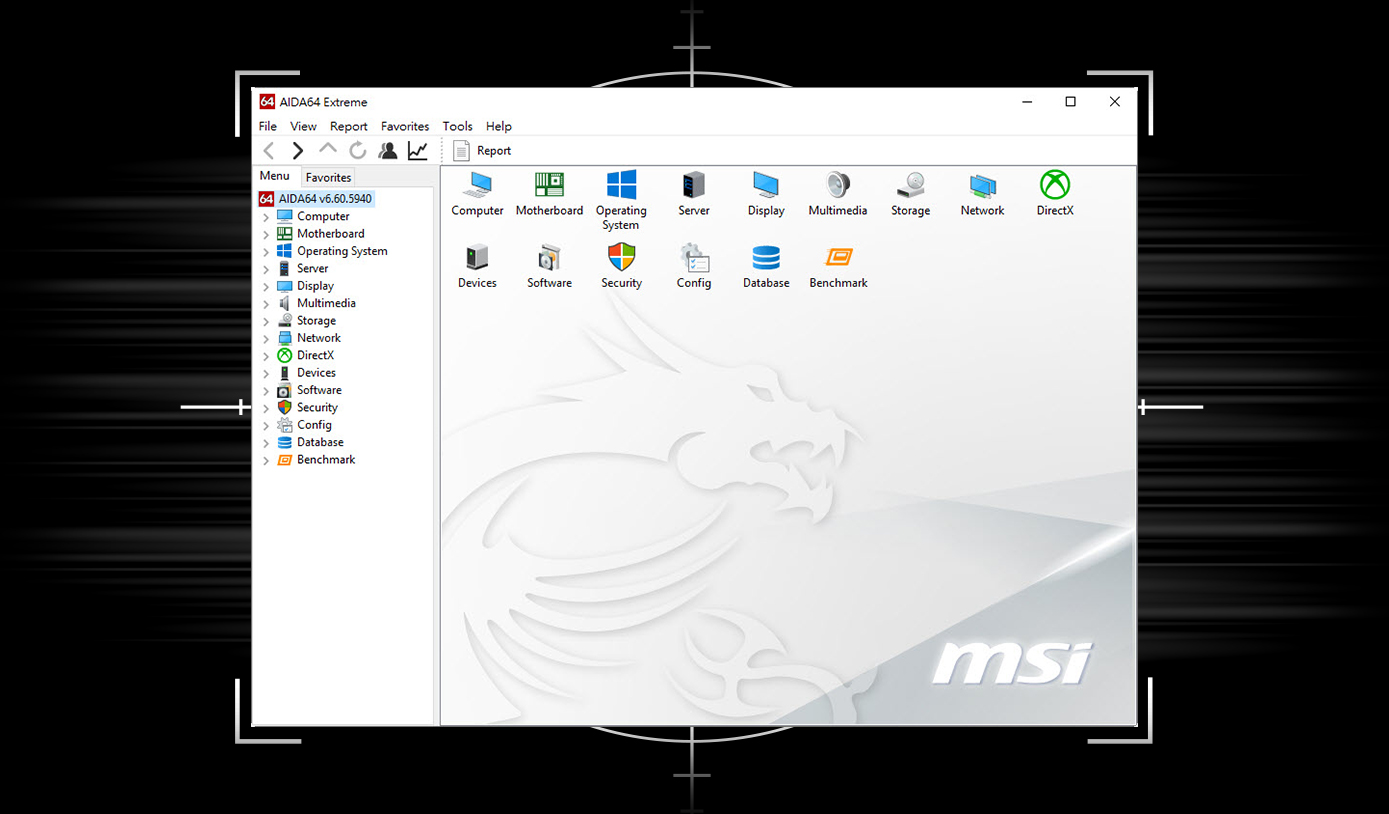
เมนบอร์ด MSI มอบสิทธิ์ทดลองใช้ AIDA64 Extreme - ฉบับ MSI ฟรี 60 วัน AIDA64 Extreme เป็นแอปพลิเคชันสารพัดประโยชน์สำหรับข้อมูลระบบ การวินิจฉัย และการทดสอบประสิทธิภาพ ด้วยแอปพลิเคชันนี้ คุณสามารถตรวจสอบข้อมูลฮาร์ดแวร์และซอฟต์แวร์บนพีซีโดยละเอียด และบันทึกลงในไฟล์ได้หลายรูปแบบ เช่น CSV และ HTML
การปกป้องหลายชั้นสำหรับอุปกรณ์ของคุณ ฟีเจอร์ความเป็นส่วนตัวออนไลน์รวมถึง Secure VPN ของเรา บวกกับการตรวจสอบ Dark Web ทั้งหมดนี้รวมอยู่ในโซลูชันเดียว ด้วยเมนบอร์ด MSI คุณสามารถเพลิดเพลินกับการทดลองใช้ Norton 360 Deluxe ฟรี 60 วัน
- สำรองข้อมูลบนคลาวด์สำหรับพีซีสูงสุด 50 GB
- การป้องกันภัยคุกคามแบบเรียลไทม์และไฟร์วอลล์อัจฉริย
- ตัวจัดการรหัสผ่าน
- ระบบรักษาความปลอดภัยเว็บแคมสำหรับพีซี

ข้อเสนอทดลองใช้จาก MSI นี้ไม่สามารถใช้ได้กับลูกค้ารายเดิมของ Norton หากคุณมีการสมัครใช้งาน Norton ที่ยังใช้งานอยู่ คุณจะต้องยกเลิกการสมัครใช้งานเดิมจึงจะมีสิทธิ์รับข้อเสนอ สำหรับรายละเอียดที่สำคัญเกี่ยวกับการสมัครใช้งาน ราคา และข้อเสนอ โปรดดูข้อตกลงการอนุญาตให้ใช้สิทธิ์และบริการของ NortonLifeLock รวมถึงประกาศความเป็นส่วนตัวของผลิตภัณฑ์และบริการของ NortonLifeLock
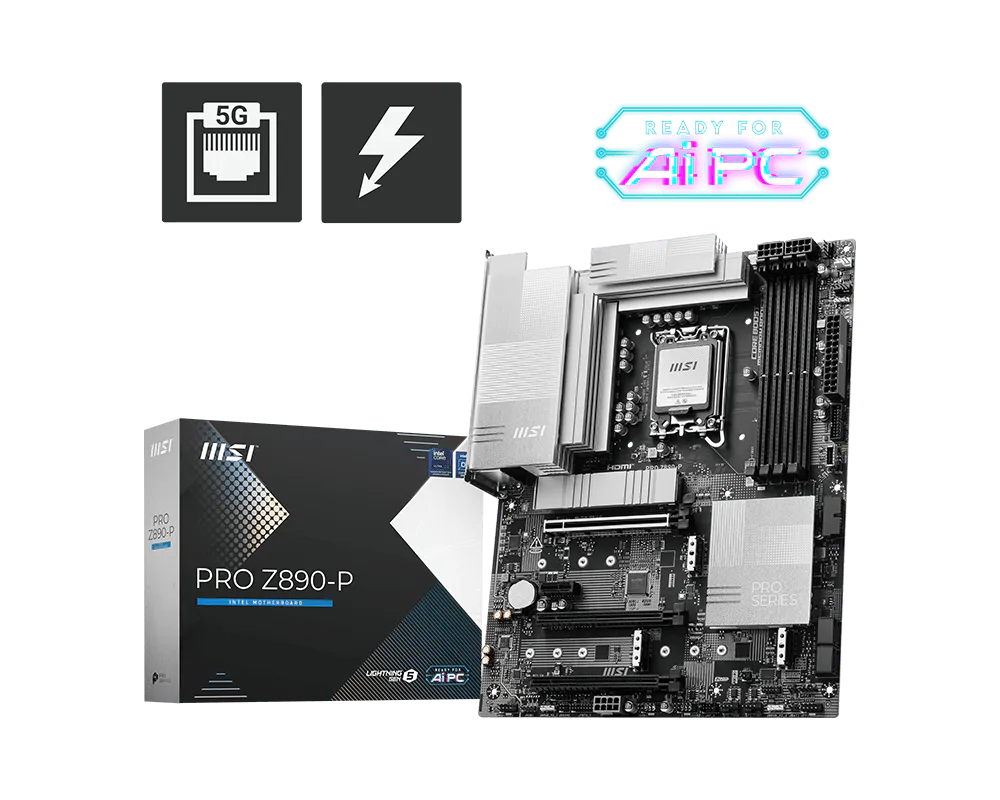
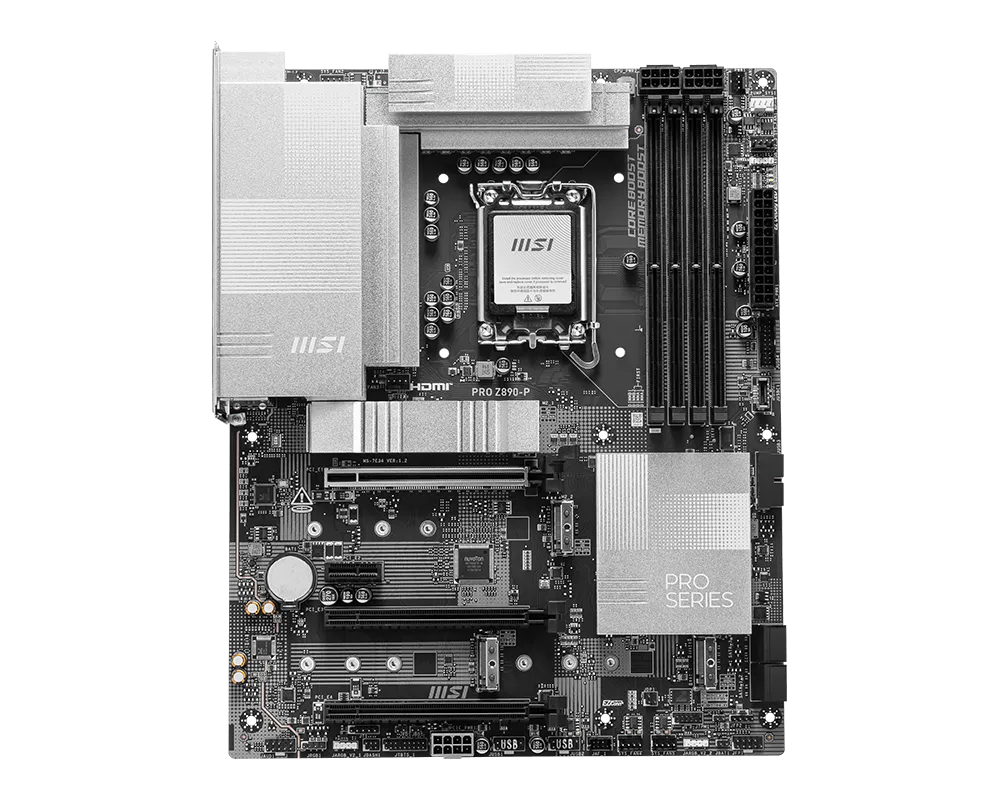
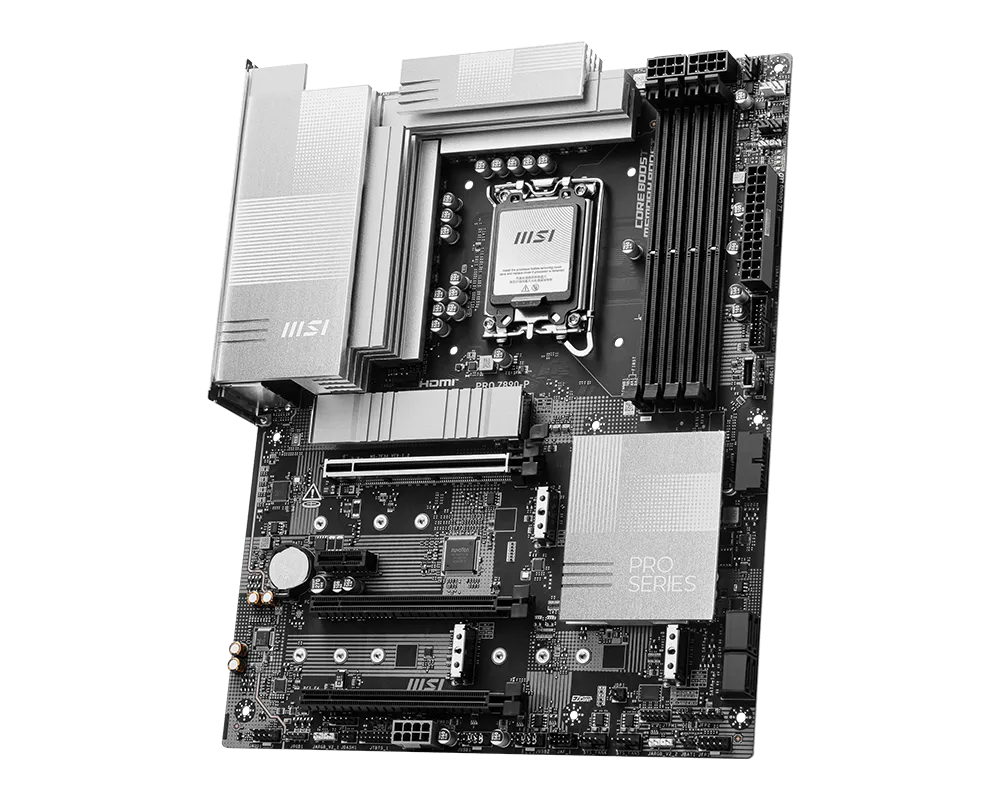
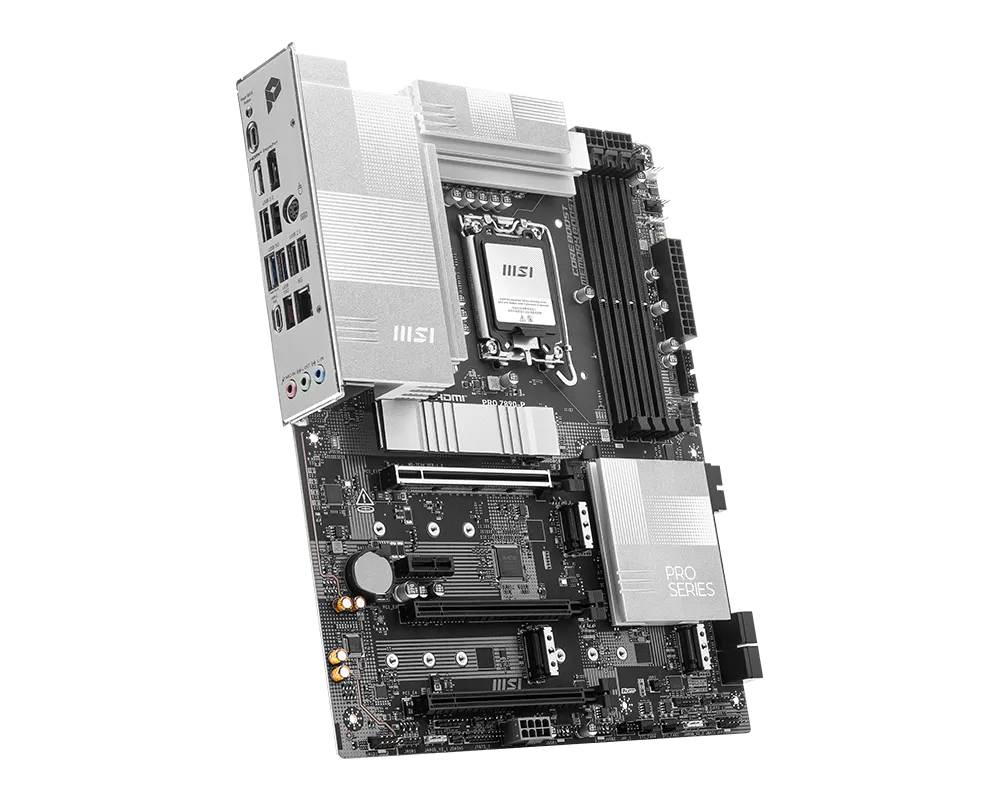
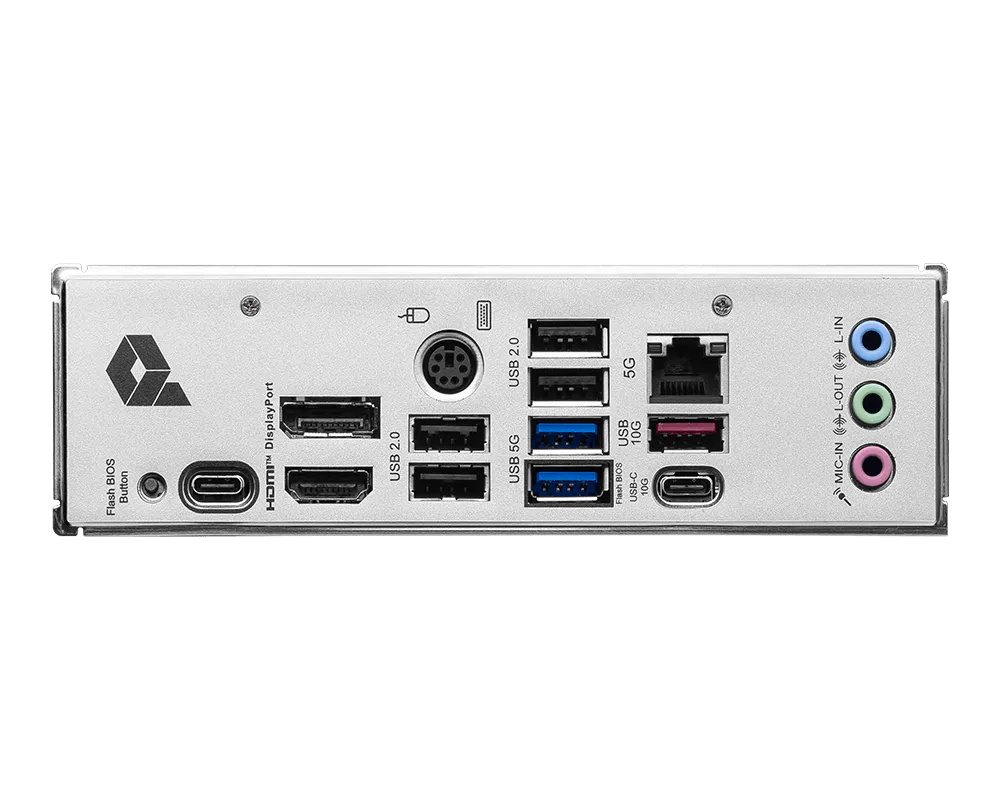
PRO Z890-P
- Support Intel® Core™ Ultra Processors (Series 2) for LGA 1851 socket
- Supports DDR5 Memory, Dual Channel DDR5 9200+ MT/s (OC)
- Ultra Performance: 14+1+1+1 Duet Rail Power System 55A DrMOS, dual 8-pin CPU power connectors, Core Boost, Memory Boost, 6-layer PCB made by 2oz thickened copper and server-grade level material
- Frozr Guard: Extended Heatsink, MOSFET thermal pads rated for 7W/mK, additional choke thermal pads and EZ M.2 Shield Frozr II are built for high performance system and non-stop experience
- EZ DIY: EZ M.2 Shield Frozr II, EZ M.2 Clip II, EZ PCIe Clip II and EZ Antenna
- Lightning Fast Game experience: PCIe 5.0 slot, Lightning Gen 5 x4 M.2
- Thunderbolt™ 4 port and 5G LAN: the latest solution for professional and multimedia use, delivering secure, stable, and high-speed networking and data transmission
- Audio Boost: Reward your ears with studio grade sound quality for the most immersive gaming experience