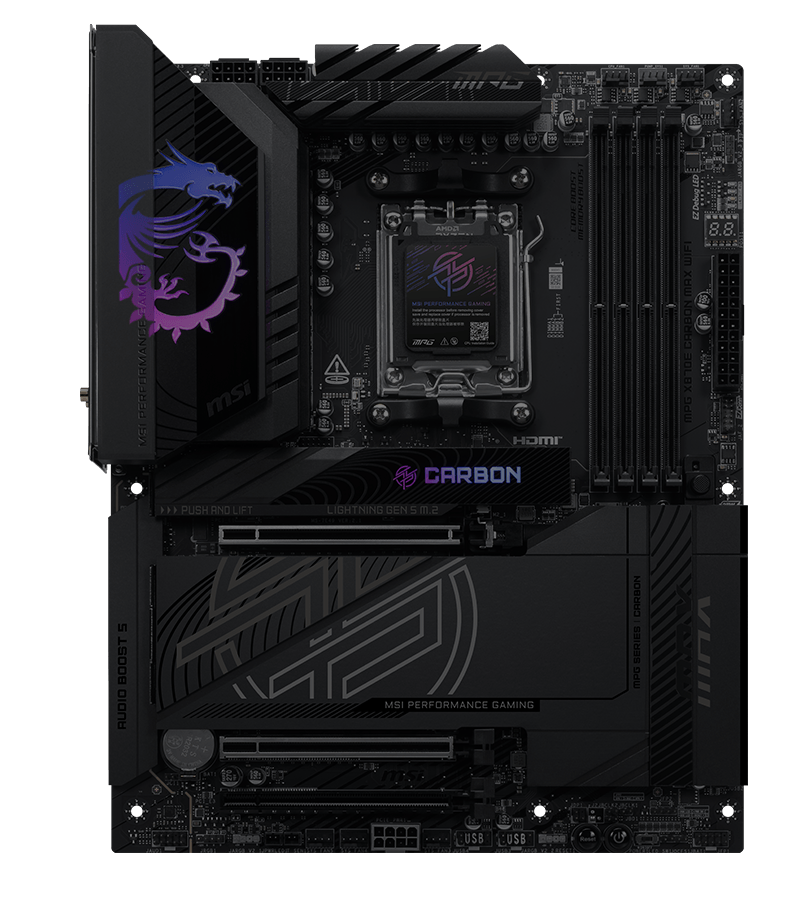
MPG X870E CARBON MAX WIFI ใช้โทนสีดำคาร์บอนและการตกแต่งแบบสะท้อนแสงเหนือไฟ Mysticlight RGB เพื่อแสดงถึงตัวตนที่แตกต่าง นอกจากนี้ยังมีความทรงพลังภายในด้วยการนำเสนอ OC Engine, Wi-Fi 7, 5G + 2.5G LAN และ PCIe 5.0 M.2 ล่าสุดพร้อม EZ M.2 Shield Frozr II ทำให้เมนบอร์ดรุ่นนี้เป็นหนึ่งในเมนบอร์ด X870 ATX ที่ดีที่สุดสำหรับโปรเซสเซอร์ AMD Ryzen 9000



ลดขั้นตอนซับซ้อน ควบคุมได้อย่างใจ

18+2+1 DRPS

โอเวอร์คล็อกในคลิกเดียว

ระบบระบายความร้อนดีไซน์พรีเมียม

เชื่อมต่อลื่นไหล พร้อมความเร็วเต็มพิกัด

ดีไซน์ UI/UX ที่ปรับแต่งมาอย่างลงตัว

ซีรีส์ MPG ระดับพรีเมียมของ MSI ถูกออกแบบมาสำหรับเกมเมอร์ที่ต้องการทั้งประสิทธิภาพอันทรงพลังและดีไซน์ที่หรูหราทันสมัย ทุกผลิตภัณฑ์สะท้อนถึงความมุ่งมั่นของ MPG ในการสร้างสรรค์ดีไซน์ที่โดดเด่น ด้วยรูปลักษณ์สุดล้ำและสีสันที่สดใส พร้อมการปรับแต่งคอนฟิกูเรชันที่ลงตัว MPG มอบประสบการณ์การเล่นเกมที่สะดุดตา ทรงพลัง และเป็นผู้นำเทรนด์อย่างแท้จริง
ดูเพิ่มเติม >


Ready for AI PC
เมนบอร์ด MSI ออกแบบด้วยฮาร์ดแวร์และเทคโนโลยีระดับสูง รองรับการประมวลผลหนักๆ ทั้งการเล่นเกม และการใช้งาน AI ได้อย่างเต็มประสิทธิภาพ นอกจากนี้ เรายังได้นำเทคโนโลยี AI เข้ามาใช้ใน MSI Center และ BIOS ช่วยให้ทุกการควบคุมและการปรับแต่งเป็นเรื่องง่ายกว่าที่เคย
AI Engine
มาพร้อมระบบจัดหมวดหมู่ที่ช่วยให้คุณซิงก์แอปพลิเคชันที่ต้องการใช้งาน พร้อมปรับแต่งระบบให้อัตโนมัติ เพื่อสร้างสภาวะการทำงานที่สมบูรณ์แบบและสะดวกสบายที่สุด
AI LAN MANAGER
ช่วยปรับแต่งประสิทธิภาพเครือข่ายและลดค่าความหน่วง (Latency) เพื่อส่งมอบประสบการณ์ออนไลน์ที่ลื่นไหลไม่มีสะดุด
Frozr AI Cooling
ปรับความเร็วพัดลมอัตโนมัติ เพื่อให้ระบบเย็น เสถียร และทำงานได้เต็มประสิทธิภาพอยู่เสมอ
AI Boost
เป็นฟีเจอร์เอกสิทธิ์เฉพาะจาก MSI ที่ช่วยโอเวอร์คล็อก NPU เพื่อยกระดับประสิทธิภาพการประมวลผล AI ให้สูงยิ่งขึ้น
ประสิทธิภาพสูง


Extended Heatsink with
Heat-pipe

OC Engine

Double Sided M.2 Shield Frozr


8-Layer Server Grade PCB
with 2oz Thickened Copper

7W/mK MOSFET Thermal Pads

18+2+1 Phases VRM Power

PCIe Supplimental Power

Enlarged Chipset Heatsink
การรับ-ส่งข้อมูลความเร็วสูง


Lightning USB 40G

5G LAN + 2.5G LAN

Latest Wi-Fi 7

Lightning Gen 5 PCI-E

Latest DDR5 Memory

Front USB Type-C with 27W PD

2x PCI-E 5.0 M.2 Slots
2x PCI-E 4.0 M.2 Slots
ประกอบง่าย ไม่ยุ่งยาก


PinSafe Design

Smart Button

Pre-installed I/O Shield

EZ Magnetic M.2 Shield Frozr II

EZ M.2 Shield Frozr II

64MB BIOS ROM

EZ Conn Design

EZ PCIe Release

Steel Armor
EZ DIY
- ONE-FINGER
- ONE HAND
- ONE STEP
- ONE GLANCE
- ONE CLICK
- EZ M.2 INSTALLATION
- EZ PCIE RELEASE
- EZ BUTTON
- EZ Switch
ได้รับการพัฒนาขึ้นอย่างพิถีพิถันโดย MSI ช่วยให้สามารถติดตั้งและถอด SSD ได้โดยไม่ต้องใช้สกรู เพิ่มความสะดวกสบายได้อย่างมาก
EZ M.2 Shield Frozr II และ EZ M.2 CLIP II เอกสิทธิ์จาก MSI ให้คุณติดตั้ง M.2 ได้ง่ายดาย แค่เสียบ SSD ลงสล็อตแล้วกดเพื่อล็อก และเพียงดีดคลิปออกก็ถอด SSD ได้ทันที ติดตั้งลื่นไหล ไร้เครื่องมือ ใช้แค่นิ้วเดียวก็พร้อมมอบประสบการณ์ DIY ที่สมบูรณ์แบบ
ขอแนะนำ EZ M.2 CLIP II Remover จาก MSI เครื่องมือขนาดพกพาที่ออกแบบมาเพื่อช่วยให้การเปลี่ยนหรือย้ายตำแหน่ง EZ M.2 CLIP II บนเมนบอร์ดเป็นเรื่องง่าย ช่วยให้คุณถอดและติดตั้งคลิปล็อกไปยังสล็อต M.2 ช่องอื่นที่ต้องการได้โดยไม่ต้องออกแรง อุปกรณ์นี้มีแถมมาให้ในชุดอุปกรณ์เสริม ของเมนบอร์ด MS.

กลไกปุ่มกดแบบฮาร์ดแวร์ที่ใช้งานง่าย ช่วยให้คุณถอดการ์ด PCIe ออกได้ด้วยการกดเพียงครั้งเดียว ทำให้การอัปเกรดการ์ดจอ หรืออุปกรณ์ที่รองรับอื่นๆ ง่ายดายยิ่งขึ้น ช่วยลดขั้นตอนที่ไม่จำเป็น และมอบประสบการณ์การใช้งานที่ดียิ่งกว่า
ใช้งานง่าย เป็นมิตรกับสาย DIY


โดยไม่จำเป็นต้องติดตั้ง CPU หรือแรม เรียนรู้เพิ่มเติม

EZ Switch

EZ LED Switch
ปิดไฟ LED ทุกจุดบนเมนบอร์ดได้ทันทีด้วยการกดเพียงครั้งเดียว
- PINSAFE DESIGN
- PRE-INSTALLED I/O SHIELD
- EZ Mounting


PinSafe ออกแบบด้วยกระบวนการนวัตกรรมใหม่ไร้ขาพินด้านหลังแผงวงจร PCB ช่วยเพิ่มความปลอดภัยขณะประกอบเครื่อง และมอบประสบการณ์สาย DIY ที่ปลอดภัยยิ่งขึ้น
ฝาหลัง I/O Shield แบบติดตั้งมาให้ในตัว ช่วยให้การประกอบเครื่องง่ายและสะดวกรวดเร็วยิ่งขึ้น โดยไม่ต้องเสียเวลาใส่ฝาหลังเองระหว่างติดตั้งเมนบอร์ด ดีไซน์แบบบิวท์อินช่วยให้ตรงล็อกและแน่นหนาพอดี มอบทั้งการป้องกัน ความสะดวกสบาย และช่วยเพิ่มความแข็งแรงทนทานให้กับคอมพิวเตอร์ของคุณ


EZ MOUNTING
ลายวงจรบนเมนบอร์ด MSI ถูกออกแบบให้เว้นระยะห่างจากน็อตยึดเคสอย่างเป็นระเบียบและปลอดภัย นอกจากนี้ ยังมีการสกรีนสีป้องกันรอบรูยึดสกรูทุกจุด เพื่อป้องกันไม่ให้อุปกรณ์ขูดขีดหรือสร้างความเสียหาย แก่ตัวเมนบอร์ด

แจ้งเตือนป้องกันการกระแทก

ระยะเว้นปลอดภัย

ระบบป้องกันไฟฟ้าสถิตสองชั้น
- EZ Antenna
- Direct OC Jumper
- EZ CONN-DESIGN JAF2
- EZ Front Panel Cable
- DRIVER UTILITY INSTALLER
MSI EZ Antenna ช่วยให้ติดตั้งเสาอากาศได้ง่ายดายยิ่งขึ้น เพียงกดล็อกเข้ากับเมนบอร์ดได้ทันที โดยไม่ต้องหมุนเกลียวให้ยุ่งยาก


จัมเปอร์ Direct OC แบบ 2-pin คู่บนเมนบอร์ด ช่วยให้การโอเวอร์คล็อกกลายเป็นเรื่องง่าย สามารถ ปรับค่า BCLK ได้อย่างแม่นยำและลื่นไหลโดยตรงจากระบบปฏิบัติการ นอกจากนี้ยังรองรับการปรับ แต่งเชิงลึกใน BIOS ให้คุณตั้งค่าการเพิ่ม-ลดความถี่นาฬิกาได้ตามต้องการในทุกๆ การกด
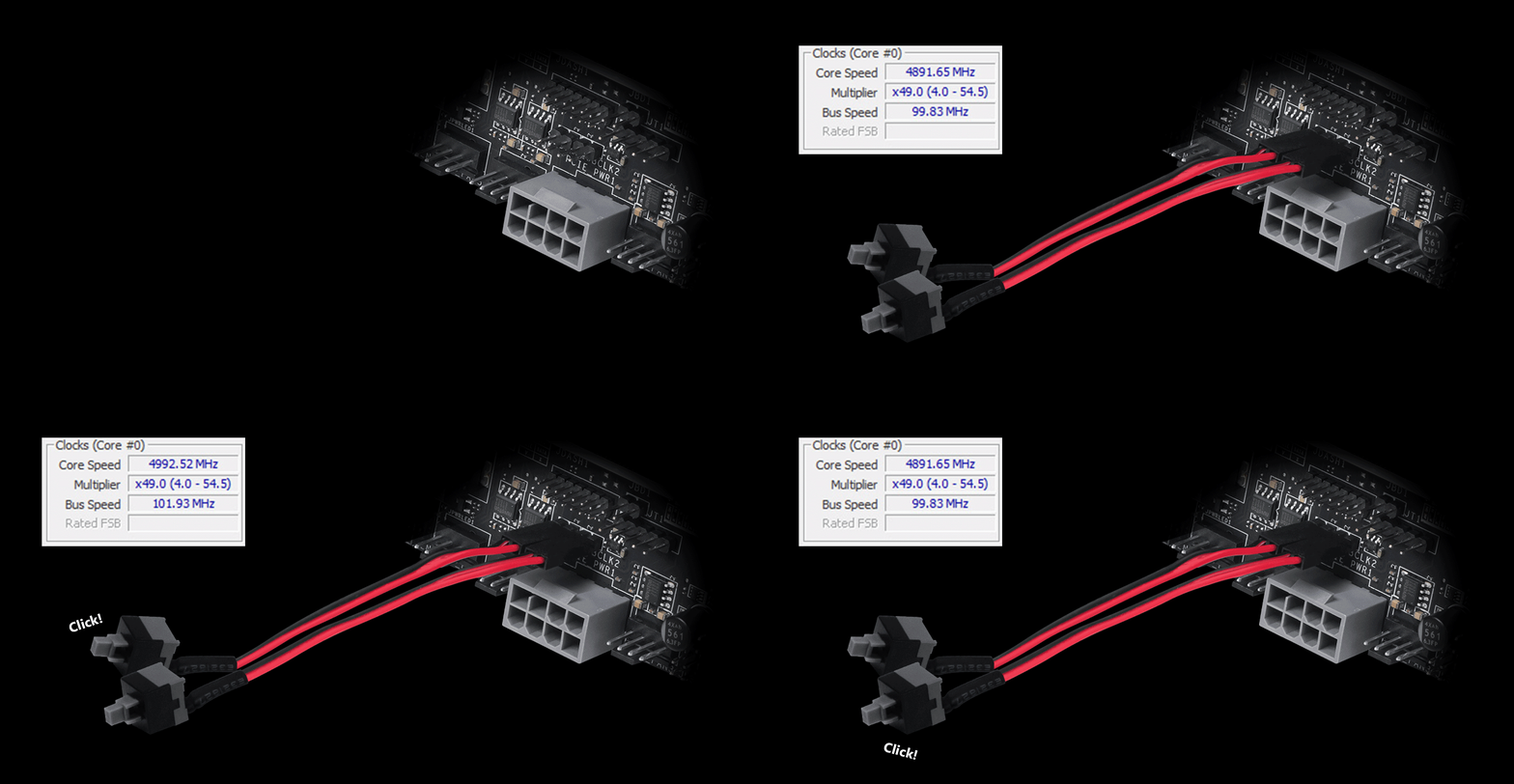
*สายหรืออุปกรณ์เชื่อมต่อ Pin-Header ไม่ได้แถมมาพร้อมกับเมนบอร์ด
หัวต่อ MSI EZ Conn (JAF_2) ช่วยให้คุณเชื่อมต่อพัดลม MSI EZ Series 7-pin หรือชุดระบายความร้อนด้วยน้ำ MSI 11-pin ได้อย่างง่ายดาย และหากคุณไม่มีอุปกรณ์ดังกล่าว เรายังมีสายแปลง "1 ออก 3 EZ Conn-Cable" มาให้ เพื่อให้คุณเชื่อมต่อไฟ ARGB, พัดลมเคส และอุปกรณ์ USB ได้พร้อมกัน


ARGB + SYS FAN + USB

MSI LIQUID COOLING

MSI EZ SERIES FAN
สายเชื่อมต่อนี้จะช่วยตัดความยุ่งยากในขั้นตอนการประกอบเครื่อง ให้คุณเสียบสายเคเบิลพาเนลหน้าเคสเข้ากับเมนบอร์ดได้อย่างรวดเร็วและถูกต้องแม่นยำ

MSI DRIVER UTILITY INSTALLER
เมื่อเชื่อมต่ออินเทอร์เน็ตแล้ว MSI Driver Utility Installer จะตรวจจับและแสดงรายการไดรเวอร์รวมถึงยูทิลิตี้ที่เหมาะสมให้โดยอัตโนมัติ ช่วยให้คุณสามารถดาวน์โหลดและติดตั้งทุกอย่างเสร็จสิ้นได้เพียงไม่กี่คลิก เรียนรู้เพิ่มเติม
*โปรดตรวจสอบให้แน่ใจว่าได้เชื่อมต่ออินเทอร์เน็ตแล้ว มิฉะนั้นโปรแกรม Driver Utility Installer จะไม่เปิดทำงานโดยอัตโนมัติ
*MSI Driver Utility Installer จะพร้อมใช้งานบน Windows 11 เวอร์ชัน (Build) 22H2 เป็นต้นไป.

- EZ DEBUG
- EZ Identify
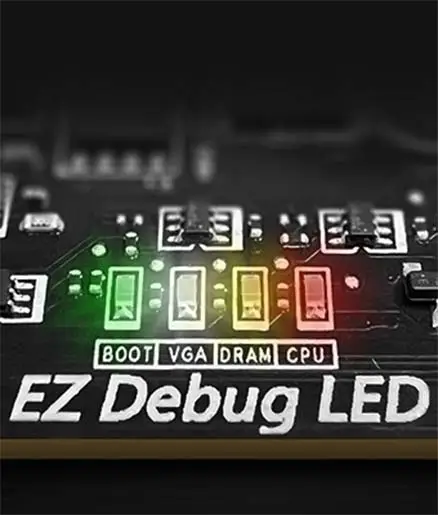
EZ DEBUG LED
ไฟ LED บนบอร์ดจะช่วยระบุต้นตอของปัญหา เพื่อให้คุณรู้สาเหตุและแก้ไขให้เครื่องกลับมาใช้งานได้ทันที

EZ DIGI-DEBUG LED
แสดงรหัสโค้ดแจ้งปัญหา Error Code เพื่อการแก้ไขได้อย่างแม่นยำ พร้อมทำหน้าที่เป็นหน้าจอตรวจวัดอุณหภูมิได้ในตัว!

EZ MEMORY DETECTION LED
ไฟ LED จะสว่างขึ้นทันทีเมื่อตรวจพบแรม ที่มีปัญหาในสล็อต ช่วยให้คุณวิเคราะห์และแก้ปัญหาได้อย่างแม่นยำโดยไม่ต้องสุ่มเดา
- EZ OVERCLOCKING
- EZ Optimization
EZ Ooverclocking
แม้ว่าการโอเวอร์คล็อก อาจดูเป็นเรื่องซับซ้อนสำหรับใครหลายคน แต่ MSI Click BIOS X ช่วยให้เป็นเรื่องง่ายและเข้าถึงได้มากขึ้น ด้วยฟีเจอร์โอเวอร์คล็อกเพียงคลิกเดียวสำหรับทั้งซีพียูและแรม ช่วยให้คุณเร่งประสิทธิภาพระบบขึ้นอีกขั้นได้อย่างง่ายดาย โดยไม่ต้องยุ่งยากกับการตั้งค่าที่ซับซ้อน
-

GAME BOOST
โอเวอร์คล็อก CPU ง่ายๆ เพียงคลิกเดียว ระบบจะปรับแต่งประสิทธิภาพของ CPU ให้อัตโนมัติ เพื่อดึงความแรงออกมาในระดับที่ดีที่สุดทันที
-

AI BOOST
ระบบประมวลผลอัจฉริยะ จะช่วยยกระดับการทำงานของหน่วยประมวลผลประสาท NPU เพื่อเค้นประสิทธิภาพ AI ออกมาได้สูงสุด ในยามที่ระบบต้องการกำลังการประมวลผลเพิ่มเติม
*เปิดใช้งานได้เมื่อใช้ร่วมกับซีพียู รุ่นที่รองรับ -

EXPO / A-XMP
เลือกโปรไฟล์สำเร็จรูป EXPO หรือ A-XMP เพื่อโอเวอร์คล็อกแรม ที่รองรับได้โดยอัตโนมัติ ช่วยให้ระบบทำงานได้อย่างเต็มประสิทธิภาพสูงสุด

จัดเต็มด้วยหลากหลายฟีเจอร์ AI ที่เข้ามาช่วยยกระดับทุกประสบการณ์การใช้งานคอมพิวเตอร์ของ คุณ ด้วยการปรับแต่งระบบให้ชาญฉลาดแบบเรียลไทม์ พร้อมซอฟต์แวร์ MSI Center ที่มาในหน้าตา ดีไซน์เรียบหรูและใช้งานง่าย ช่วยให้คุณปรับแต่งและจัดการตั้งค่าพีซีได้ตามต้องการ ยกตัวอย่างเช่น AI Engine ที่จะช่วยปรับการตั้งค่าของระบบให้อัตโนมัติโดยอิงจากแอปพลิเคชันที่คุณกำลังใช้งาน เพื่อประสิทธิภาพที่ลื่นไหลที่สุด

ULTRA PERFORMANCE
- Power Solution
- memory
- PROTECTION
- 18DUET RAIL POWER SYSTEM
- OC Engine
- PCB DESIGN
- EZ OC TUNING
- MORE FOR PERFORMANCE
ปลดปล่อยและคงความแรงระดับสูงสุดไว้ได้อย่างต่อเนื่อง ด้วยดีไซน์ภาคจ่ายไฟ VRM ระดับเรือธง แบบ 18+2+1 Duet Rail Power System ผสานพลังกับช่องจ่ายไฟคู่ (Dual Power Connectors) และ 110A Smart Power Stage ทำให้ MPG X870E CARBON MAX WIFI พร้อมรับมือกับความท้าทายจากซีพียูระดับไฮเอนด์ได้อย่างสบาย
18
PHASE
2
PHASE
1
PHASE

CPU Power

Core Boost

Digital Power

ชิป OC Engine ช่วยให้ปรับ BCLK ได้อย่างอิสระผ่านโหมด Asynchronous เร่งความแรงได้สูงสุด 15% โดยไม่กระทบความเสถียรของ iGPU, RAM, PCIe และ NVMe มอบขีดความสามารถสูงสุดสำหรับการโอเวอร์คล็อกระดับเอ็กซ์ตรีม
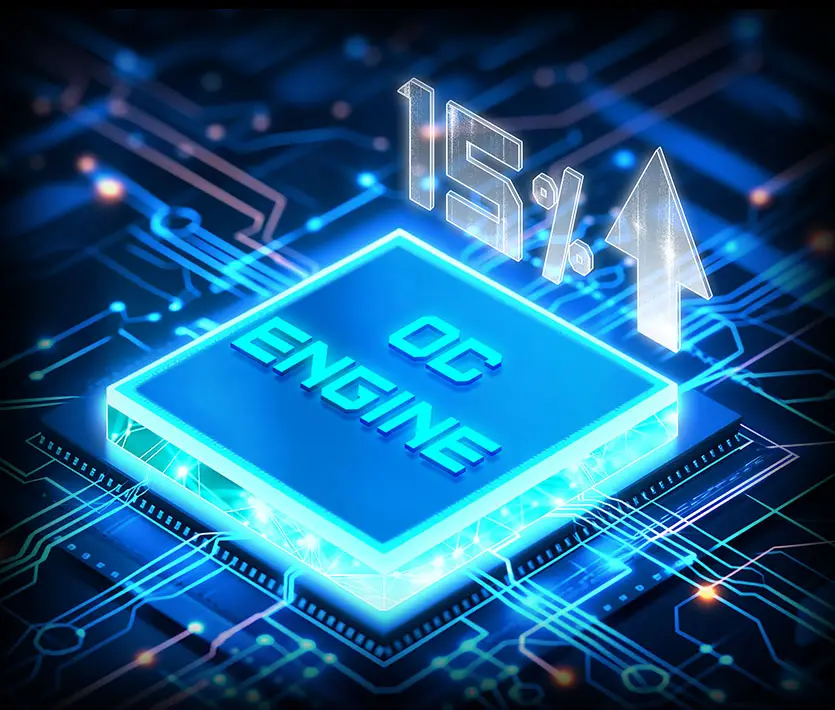
*ยกระดับประสิทธิภาพการเล่นเกมด้วย Ryzen 7 9800X3D ทั้งนี้ ประสิทธิภาพจริงอาจมีความแตกต่างกันขึ้นอยู่กับสเปกและแพลตฟอร์มของระบบ

ชิปโอเวอร์คล็อกระดับมืออาชีพ
ชิปประมวลผลที่ออกแบบมาเพื่อขีดสุดแห่งประสิทธิภาพโดยเฉพาะ

ควบคุม BCLK ได้อย่างอิสระ
ปรับเพิ่มความเร็วได้โดยไม่กระทบอุปกรณ์ส่วนอื่น

ศักยภาพการโอเวอร์คล็อกที่เหนือกว่า
ขยายขีดจำกัดเพื่อการปรับแต่งความแรงระดับสูงสุด

เสถียรภาพระบบระดับสูง
ทำงานได้อย่างเสถียรมั่นใจ แม้ใช้งานหนักหน่วง
MSI นำเทคโนโลยี PCB Fabric Technology มาใช้เพื่อยกระดับประสิทธิภาพการส่งสัญญาณ ส่งผลให้รองรับแบนด์วิดท์ได้สูงขึ้นและการถ่ายโอนข้อมูลมีความเร็วสูงสุด พร้อมทั้งลดการสูญเสียของสัญญาณ นอกจากนี้ เทคโนโลยีดังกล่าว ยังช่วยควบคุมความต้านทานไฟฟ้า และเพิ่มความเสถียรต่อความร้อน ให้เมนบอร์ดรองรับการทำงานในสภาวะวิกฤตได้อย่างมีประสิทธิภาพ มั่นใจได้ในความน่าเชื่อถือและความทนทานตามมาตรฐานเทคโนโลยียุคใหม่

- 8 PCB Layers
- PCB Fabric Peak
ด้วยฟีเจอร์อันชาญฉลาดและหลากหลายของ MSI BIOS ช่วยให้คุณเพลิดเพลินไปกับประสิทธิภาพอันทรงพลังจากการโอเวอร์คล็อกได้อย่างง่ายดาย
Performance Preset ฟีเจอร์เอกสิทธิ์เฉพาะจาก MSI ช่วยเพิ่มประสิทธิภาพได้อย่างง่ายดายและตรงใจยิ่งขึ้น เพียงกำหนดขีดจำกัดการจ่ายไฟ ได้ตามต้องการ โดยมีให้เลือก 2 ระดับ คือ PBO Auto และ PBO Enable

Performance Switch รวมข้อดีของค่าเริ่มต้น AMD PBO (Precision Boost Overdrive) เข้ากับการตั้งค่า OC เอกสิทธิ์เฉพาะของ MSI ช่วยยกระดับประสิทธิภาพ CPU ให้สูงขึ้นทั้งการทำงานแบบ Single-Core และ Multi-Core เหมาะอย่างยิ่งสำหรับผู้ใช้งานที่ต้องการรีดความแรงขั้นสุด


MSI PBO Thermal Profiles ช่วยกำหนดค่าน้ำหนักอุณหภูมิสูงสุดของ CPU ไว้ที่ระดับ 85°C, 75°C และ 65°C โดยการใช้โปรไฟล์ความร้อนนี้ จะช่วยให้ CPU ทำงานด้วยแรงดันไฟ (Voltage) และอุณหภูมิที่ลดลง แต่ยังคงรักษาระดับประสิทธิภาพการทำงานไว้ได้ดีดังเดิม

Config TDP ถูกออกแบบมาเพื่อนำเสนอโหมดประหยัดพลังงาน ECO Mode (65W) หรือค่าตั้ง TDP (PPT/TDC/EDC) รูปแบบต่างๆ สำหรับผู้ใช้งานระดับสูง ด้วยการมอบโปรไฟล์ TDP สำเร็จรูปให้เลือกใช้มากมายใน Click BIOS 5 ฟีเจอร์ Config TDP จึงช่วยให้การปรับแต่งโปรไฟล์ TDP เป็นเรื่องง่ายดาย โดยไม่จำเป็นต้องเข้าไปปรับค่าตั้งทีละจุดด้วยตัวเอง

MORE FOR PERFORMANCE


- DDR5
- HIGH-EFFICIENCY MODE
- Latency Killer
ยกระดับประสิทธิภาพการทำงานของหน่วยความจำ DDR5 ไปอีกขั้น ด้วยการผสมผสานเทคโนโลยีการเชื่อมพื้นผิว SMT Welding Process ร่วมกับเทคโนโลยี MSI Memory Boost เมนบอร์ด MPG X870E CARBON MAX WIFI จึงมีความพร้อมในการส่งมอบประสิทธิภาพการทำงานของหน่วยความจำในระดับมาตรฐานโลก

*Memory compatibility and supported speeds can vary depending on the CPU and memory configuration.
High-Efficiency Mode ถูกออกแบบมาเพื่อเพิ่มประสิทธิภาพการทำงานของแรม โดยการขยายแบนด์วิดท์ และลดค่าความหน่วง มาพร้อมตัวเลือกการตั้งค่าไทมิ่งแรม ถึง 4 รูปแบบ ช่วยให้ผู้ใช้สามารถค้นหาการกำหนดค่าที่ดีที่สุดตามคุณภาพของโมดูลแรมที่ใช้งานอยู่ได้อย่างลงตัว

Latency Killer
บอกลาความช้าด้วย Latency Killer ใน MSI BIOS! ฟีเจอร์ใหม่บนเมนบอร์ด AM5 ทุกรุ่น ช่วยลดค่า Latency ของแรมได้สูงสุดถึง 12% ในช่วงสปีดสูง และยังใช้งานร่วมกับฟีเจอร์โอเวอร์คล็อกแรมยอดฮิตอย่าง EXPO, A-XMP, Memory Try It!! และ High-Efficiency Mode ได้แบบไม่มีปัญหา
ลดค่าความหน่วง ของแรมลงได้สูงสุดถึง 12%


*รองรับ BIOS เวอร์ชันตั้งแต่ AGESA 1.2.0.2b เป็นต้นไป
- TVS
- SOLID PIN DESIGN
- STAINLESS STEEL IO
- OCP Protection
- GROUNDING STRUCTURE
Transient Voltage Suppressors (TVS) คืออุปกรณ์ความปลอดภัยที่ใช้ป้องกันแรงดันไฟฟ้าเกิน โดยเมนบอร์ด MSI ทุกรุ่นได้รับการติดตั้ง TVS มาให้เรียบร้อยแล้ว ซึ่งเมื่อเกิดแรงดันไฟฟ้าสูงผิดปกติ TVS จะเปลี่ยนสถานะจากความต้านทานสูงเป็นความต้านทานต่ำในทันที เพื่อดึงแรงดันไฟฟ้าส่วนเกินลงสู่กราวด์ ช่วยป้องกันความเสียหายของวงจรที่เกิดจากแรงดันไฟสูงได้อย่างมีประสิทธิภาพ
ช่องต่อไฟเลี้ยง CPU แบบ 8-pin, 8-pin และ 24-pin ของเมนบอร์ด MSI เลือกใช้ขาสัมผัสแบบ Solid Pin ซึ่งการออกแบบนี้ช่วยให้ส่งผ่านกระแสไฟ 12V ไปยัง CPU ได้อย่างเสถียรและราบรื่นยิ่งขึ้น แม้ในยามที่ต้องรับภาระโหลดกระแสไฟฟ้าสูงก็ตาม
ข้อดีของขั้วต่อไฟเลี้ยงแบบ Solid Pin
- เพิ่มความเสถียร: พื้นที่สัมผัสกว้างขึ้น จ่ายไฟได้นิ่งกว่า
- ค่าความต้านทานต่ำ: ไฟไหลผ่านได้อย่างเต็มประสิทธิภาพ.
- แข็งแรงทนทาน: โครงสร้างตัน ทนทานต่อการใช้งานหนัก.
- รองรับโหลดสูง: ออกแบบมาเพื่อกระแสไฟระดับสูงโดยเฉพาะ

การเพิ่มชั้นฟองน้ำหนาพิเศษควบคู่กับฝาหลัง ที่ทนทานต่อการกัดกร่อน ช่วยป้องกันไฟฟ้าสถิตและลดสัญญาณรบกวนจากการแผ่รังสีคลื่นแม่เหล็กไฟฟ้าของระบบ ทั้งยังมีความทนทานมากกว่าฝาหลังแบบดั้งเดิมอย่างเห็นได้ชัด


* ภาพข้างต้นใช้เพื่อการโฆษณาประกอบการอธิบายเท่านั้น กรุณาตรวจสอบรายละเอียดเพิ่มเติมที่หน้าข้อมูลจำเพาะ
เมนบอร์ด MSI ให้ความสำคัญกับความปลอดภัยเป็นอันดับแรกด้วยระบบป้องกันกระแสไฟเกิน (Overcurrent Protection: OCP) ที่ติดตั้งมาในตัว ช่วยปกป้องชิ้นส่วนสำคัญอย่าง พอร์ต USB, แรม DDR, ไอซี PWM และ CPU จากกระแสไฟฟ้าที่สูงเกินไป กลไกการป้องกันเชิงรุกนี้ช่วยลดความ เสี่ยงต่อความเสียหายหรือการทำงานผิดพลาดจากไฟกระชาก พร้อมส่งเสริมความเสถียรของระบบในระยะยาว ตอกย้ำความมุ่งมั่นของ MSI ในการสร้างสรรค์เมนบอร์ดที่เน้นความทนทานและความเสถียรสูงสุด


โครงสร้างสายดินของภาคจ่ายไฟสิทธิบัตรเฉพาะจาก MSI ช่วยยับยั้งสัญญาณรบกวนทางแม่เหล็ก ไฟฟ้า (EMI) ที่เกิดจากภาคจ่ายไฟได้อย่างมีประสิทธิภาพ พร้อมช่วยระบายความร้อนส่งต่อไปยังชั้น ทองแดงของแผ่นปริ้นต์ที่มีคุณสมบัติเป็นสายดิน เพื่อการระบายความร้อนที่สมบูรณ์แบบ


FROZR DESIGN
- FROZR GUARD
- FROZR SYNC
- FROZR CONTROL
- cooling overview
Cooling Overview

-
Extended Heatsink
แผงระบายความร้อน Extended Heatsink ช่วยเพิ่มพื้นที่ผิวในการกระจายความร้อน รองรับการทำงานของหน่วยประมวลผลประสิทธิภาพสูงให้สามารถทำงานด้วยความเร็วสูงสุดได้อย่างมีเสถียรภาพ
-
Heat-pipe
เชื่อมต่อฮีตซิงก์ MOS ทั้งสองเข้าด้วยกัน เพื่อขยายพื้นที่ในการระบายความร้อนให้กว้างขึ้น
-
M.2 Shield Frozr
ช่วยปกป้อง M.2 SSD ให้ปลอดภัย พร้อมป้องกันปัญหาความร้อนสะสมจนความเร็วตก ช่วยให้ SSD ทำงานได้รวดเร็วยิ่งขึ้น
-
7W/mK Thermal Pad
ระบายความร้อนภาคจ่ายไฟได้เยี่ยม! ด้วยแผ่น Thermal Pad ระดับ 7W/mK สำหรับ MOSFET และแผ่นคุมความร้อนเพิ่มเติมสำหรับ Choke ช่วยให้ CPU ทำงานได้เต็มทุกคอร์ไม่มีดรอป
-
Enhanced M.2 Thermal
แผ่นระบายความร้อน M.2 Shield Frozr แบบสองด้าน และฮีตซิงก์ขนาดใหญ่พิเศษ ช่วยปกป้อง M.2 SSD ให้ปลอดภัย พร้อมป้องกันปัญหาความร้อนสะสมจนความเร็วตก
-
Enlarged PCH Heatsink
ฮีตซิงก์ขนาดใหญ่ ดีไซน์เงียบ ลมแรง! ช่วยลดฝุ่นสะสม ทำงานเงียบไร้เสียงรบกวน และคงประสิทธิภาพการระบายความร้อนได้อย่างยอดเยี่ยม
- SYSTEM COOLING
- COMBO FAN
เชื่อมต่อง่าย ซิงก์ไฟและพัดลมได้ลงตัว! ออกแบบตำแหน่งพินเฮดเดอร์ให้เสียบสายง่าย รองรับชุดน้ำและเคส MSI พร้อมช่อง Pump-fan สำหรับชุดน้ำปิดโดยเฉพาะ

FOR CPU COOLER

FOR LIQUID COOLER
จ่ายกระแสไฟสูงสุด 3A / รองรับระบบตรวจจับอุปกรณ์อัตโนมัติ

FOR SYSTEM FAN
รองรับระบบตรวจจับอัตโนมัติ

หัวต่อพิเศษ EXCLUSIVE EZ CONN - JAF_2
จ่ายไฟพัดลมแรง 3A รองรับการทำงานร่วมกับอุปกรณ์ MSI โดยเฉพาะ
ดูเพิ่มเติม
MSI Combo Fan Header คือช่องเชื่อมต่ออเนกประสงค์ที่ทำหน้าที่เป็นได้ทั้งช่องต่อปั๊มน้ำและพัดลม โดยช่องเชื่อมต่อนี้จะตรวจจับโดยอัตโนมัติว่าเป็นปั๊มน้ำหรือพัดลมระบบ PWM/DC ทั้งยังมีสีเทาอันเป็นเอกลักษณ์ที่ช่วยให้คุณระบุตำแหน่งได้อย่างง่ายดาย


- COOLING WIZARD
- FROZR AI COOLING
- AUTO DETECT FAN
Cooling Wizard ฟีเจอร์จัดการพัดลมครอบคลุมทุกอุปกรณ์ MSI มอบความยืดหยุ่นด้วยการรองรับพัดลมและปั๊มน้ำระบบ PWM/DC ปรับแต่งความเย็นและลดเสียงรบกวนให้พีซีของคุณได้อย่างง่ายดาย พร้อมระบบติดตามอุณหภูมิแบบเรียลไทม์ ปรับจูนประสิทธิภาพสูงสุดได้เพียงคลิกเดียว

Multiple Profiles
บันทึกได้สูงสุด 5 โปรไฟล์ รองรับการใช้งานในทุกสถานการณ์


พัดลมอัจฉริยะ & ปรับแต่งเอง
-
Smart Fan
ปรับแต่งเส้นโค้งอุณหภูมิได้อย่างง่ายดายด้วยจุดปรับ 4 จุด
-
Manual Fan
ปรับตั้งค่าอุณหภูมิตามเปอร์เซ็นต์ที่กำหนดได้ด้วยตนเอง


User Scenario
-
Follow MSI Center Mode
ปรับแต่งการทำงานของพัดลมอัตโนมัติตามโหมดการใช้งานที่คุณเลือกใน User Scenario
-
BIOS Mode
ปรับตั้งค่าพัดลมใน BIOS
-
Customize by User
ปรับแต่งตั้งค่าพัดลมได้โดยผู้ใช้


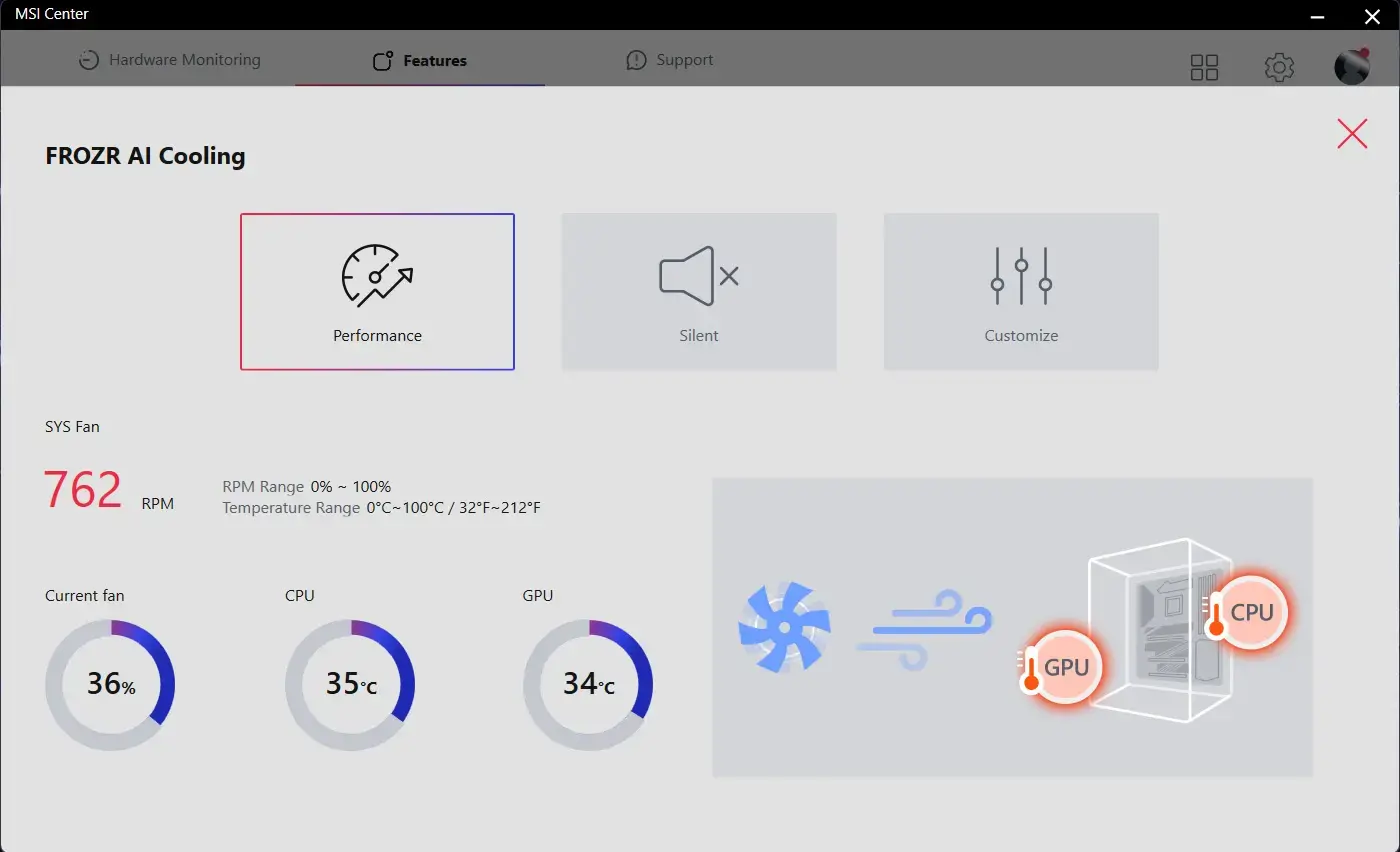
Frozr AI Cooling ระบบตรวจจับอุณหภูมิ CPU และ GPU อัจฉริยะ ปรับระดับความเร็วพัดลมระบบให้อัตโนมัติ เพื่อคงประสิทธิภาพการทำงานในระดับสูงสุด
พินเชื่อมต่อพัดลมของ MSI สามารถตรวจจับโหมดการทำงานของพัดลมทั้งแบบ DC และ PWM ได้โดยอัตโนมัติ เพื่อปรับแต่งความเร็วพัดลมและความเงียบได้อย่างสมบูรณ์แบบ พร้อมระบบ Hysteresis ที่ช่วยให้พัดลมเร่งความเร็วรอบได้อย่างนุ่มนวล ไม่กระชากเสียง มั่นใจได้ว่าเครื่องของคุณจะทำงานอย่างเงียบสงบในทุกสถานการณ์

TRILINK
- networking
- storage
- Expansion
- FLAWLESS CONNECTION
- WIFI 7 Solution
- AI Lan Manager
โซลูชันเครือข่ายระดับพรีเมียมจาก MSI มอบความเร็วในการรับส่งข้อมูลขั้นสุดยอด เพื่อตอบโจทย์ผู้ใช้งานที่ต้องการประสิทธิภาพสูง


5G LAN

2.5G LAN

Wi-Fi 7

เสาอากาศ EZ Antenna พร้อมฐานตั้งแบบแม่เหล็ก
Wi-Fi 7 คือโซลูชันเครือข่ายไร้สายยุคใหม่ที่ก้าวกระโดดไปอีกขั้น มาพร้อมการอัปเกรดประสิทธิภาพรอบด้าน เพื่อรองรับการรับส่งข้อมูลมหาศาลและการเพิ่มขึ้นของอุปกรณ์เชื่อมต่อไร้สายได้อย่างสมบูรณ์แบบ
*รองรับเฉพาะ Windows 11 เท่านั้น
Wi-Fi 7 (802.11be) มาพร้อมความเร็วที่สูงยิ่งขึ้น ช่องสัญญาณที่กว้างขึ้น เพิ่มประสิทธิภาพการทำงาน และลดค่าความหน่วง ลงเมื่อเทียบกับ Wi-Fi 6 (802.11ax) นอกจากนี้ยังช่วยประหยัดพลังงานแบตเตอรี่ พร้อมมอบประสิทธิภาพการเชื่อมต่อที่ดีเยี่ยมแม้ในสภาพแวดล้อมที่มีการใช้งานหนาแน่น
Wi-Fi 7 มอบความเร็วสูงสุดถึง 5.8 Gbps! ซึ่งเร็วกว่ามาตรฐาน Wi-Fi 6/6E เดิมถึง 2.4 เท่า พร้อมก้าวสู่การเป็นมาตรฐานระบบเครือข่ายไร้สายแห่งอนาคต
Wi-Fi ยุคก่อนหน้าจำกัดความกว้างช่องสัญญาณไว้ที่ 160MHz แต่ Wi-Fi 7 ขยายความกว้างช่องสัญญาณเพิ่มขึ้นสูงสุดถึง 320MHz (บนคลื่น 6GHz) ช่วยเพิ่มความน่าเชื่อถือและความเสถียรในการรับส่งข้อมูลพร้อมกันหลายเครื่องที่ความเร็วสูงสุด
Wi-Fi 7 ยกระดับการมอดูเลตจาก 1024-QAM เป็น 4096-QAM ช่วยให้แต่ละแพ็กเกจส่งข้อมูลได้มากขึ้น พร้อมอัปเกรดความเร็วสูงสุดและความจุเครือข่ายให้ดียิ่งขึ้น
Wi-Fi 7 ช่วยให้อุปกรณ์สามารถรับและส่งข้อมูลได้พร้อมกันบนหลากหลายคลื่นความถี่และช่องสัญญาณ เพื่อรองรับความต้องการใช้งานข้อมูลมหาศาลและการเพิ่มขึ้นของอุปกรณ์ไร้สายได้อย่างสมบูรณ์
MSI AI LAN Manager ระบบจัดลำดับความสำคัญของแอปพลิเคชันและเกมออนไลน์อัตโนมัติ เพื่อลดความหน่วง และมอบประสบการณ์การเล่นเกมที่ลื่นไหลที่สุด
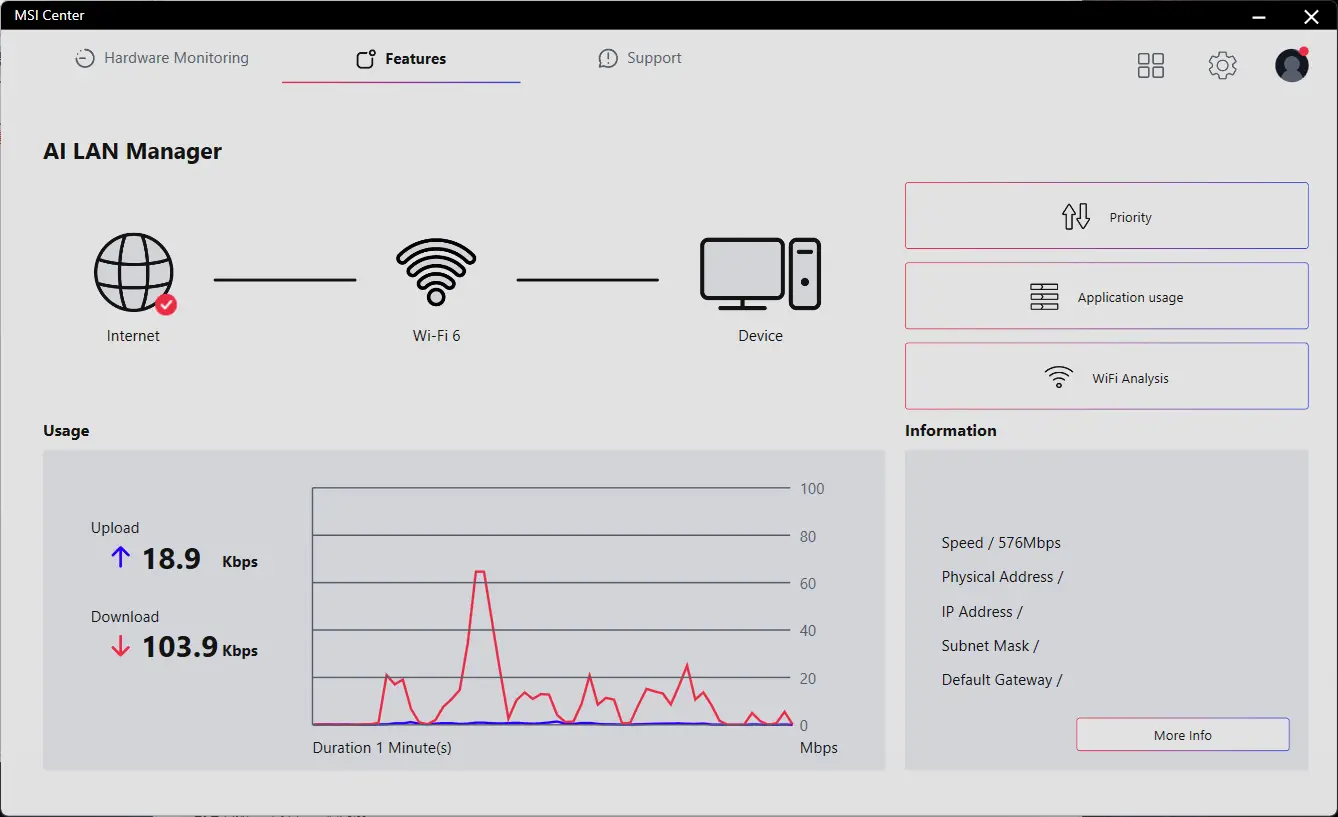
MSI AI LAN MANAGER
- จัดลำดับความสำคัญของเกมเหนือแอปพลิเคชันอื่นให้อัตโนมัติ
- ปรับเปลี่ยนลำดับความสำคัญในการส่งข้อมูลของแต่ละแอปพลิเคชันได้ตามต้องการ
- กำหนดและปรับแต่งแบนด์วิดท์สำหรับแต่ละแอปพลิเคชันได้อย่างอิสระ
- วิเคราะห์สัญญาณ Wi-Fi เพื่อเลือกแหล่งเชื่อมต่อที่ดีที่สุด<
- STORAGE
เมนบอร์ด MSI MPG Series รองรับมาตรฐานการจัดเก็บข้อมูลล่าสุดทั้งหมด ช่วยให้ผู้ใช้สามารถเชื่อมต่อกับอุปกรณ์จัดเก็บข้อมูลความเร็วสูงพิเศษได้ทุกรูปแบบ ช่วยให้เปิดเกมได้เร็วขึ้น โหลดฉากได้ไวขึ้น และกุมเปรียบเหนือคู่แข่งอย่างแท้จริง
2x

2x

- 64MB BIOS
- LANES OPTIMIZED
- LIGHTNING GEN 5 PCI-E
- PCIe SUPPLEMENTAL POWER
- USB4
- SUPER CHARGER +
64MB BIOS
ความจุ ROM ของ BIOS ที่ใหญ่ขึ้น ช่วยให้คุณสัมผัสกับอินเทอร์เฟซ BIOS ได้อย่างสมบูรณ์แบบและอัดแน่นด้วยฟีเจอร์เต็มรูปแบบเมื่อใช้งานร่วมกับซีพียูของคุณ และแม้ว่าจะอัปเกรดเป็นซีพียู AM5 รุ่นใหม่ล่าสุดในอนาคต ก็ยังมั่นใจได้ถึงความเข้ากันได้แบบสมบูรณ์ 100%

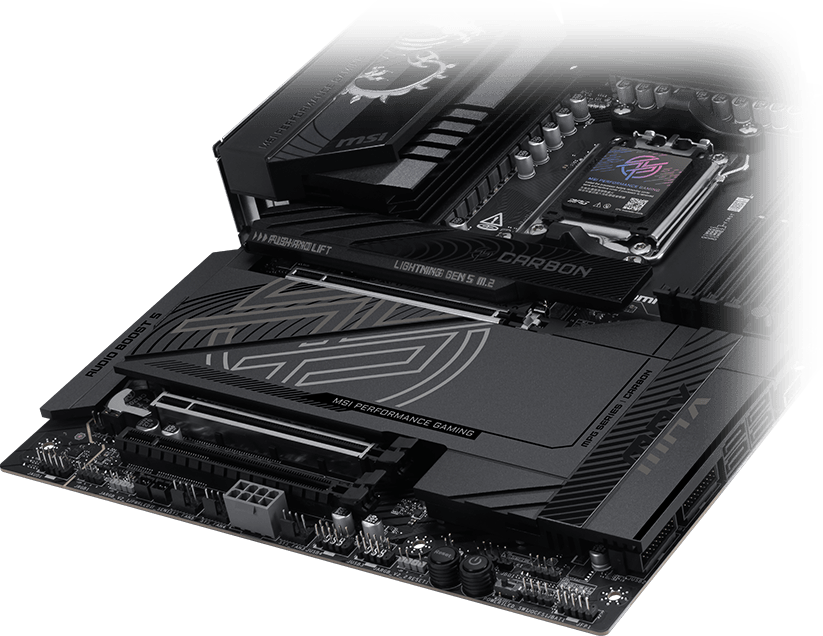
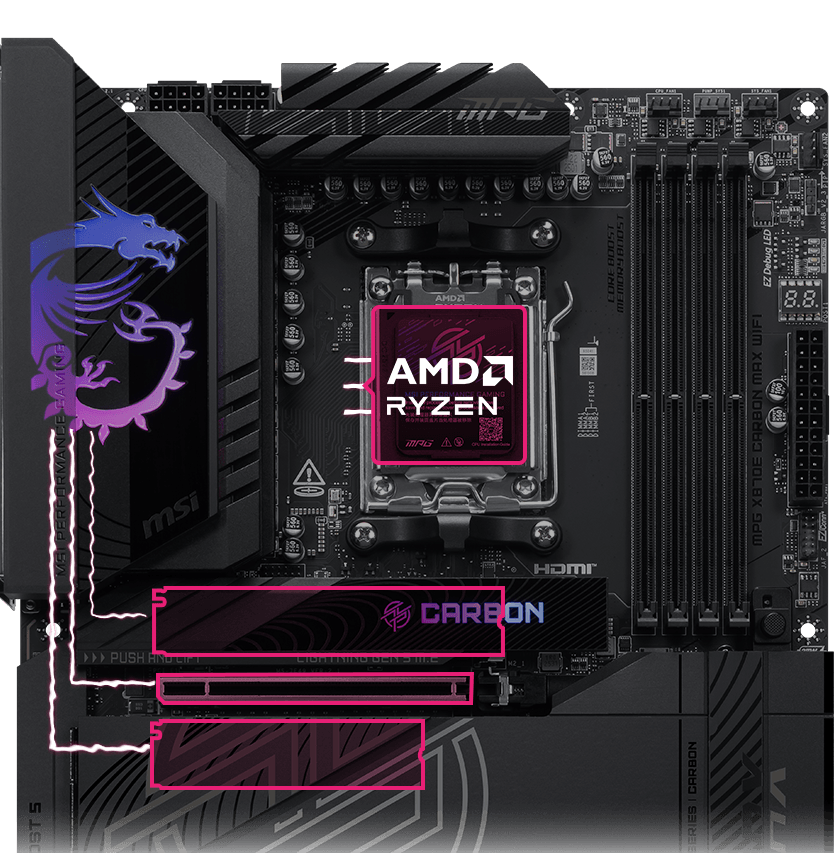
เมนบอร์ด MSI ดึงประสิทธิภาพจากเลน PCIe 5.0 ของซีพียูมาใช้งานได้อย่างคุ้มค่า ด้วยระบบการแบ่งเลน Lane Bifurcation ที่สมบูรณ์แบบ ทำให้ช่อง Gen 5 x16 และพอร์ต M.2 Gen 5 ทั้งสองช่องสามารถทำงานแยกกันได้อย่างอิสระ ขจัดปัญหาการแย่งแบนด์วิดท์ และปลดล็อกประสิทธิภาพสูงสุดให้กับทั้งการ์ดจอและ SSD
เชื่อมต่อ PCIe Gen5 ตรงจากโปรเซสเซอร์
วิ่งเต็มแบนด์วิดท์ ไม่มีการแชร์หรือแบ่งความเร็ว
จัดสรรเลน PCIe ให้มีประสิทธิภาพสูงสุด
Up to 24 native PCIe 5.0 Lanes From Ryzen 9000 & 7000 CPUs
PCIe 5.0 x4 for M.2 SSD
PCIe 5.0 x16 for GPU
PCIe 5.0 x4 for M.2 SSD

LIGHTNING GEN 5 PCI-E
เพิ่มขึ้นเป็น 2 เท่าเมื่อเทียบกับรุ่นก่อนหน้า โดยมีแบนด์วิดท์สูงสุดผ่านอินเทอร์เฟซ x16 สูงถึง 128GB/s

SMT PCIE 5.0 SLOT
สล็อต PCIe เทคโนโลยี SMT (Surface Mount Technology) ขั้นสูง ช่วยลดสัญญาณรบกวนและคลื่นแม่เหล็กไฟฟ้า รองรับสัญญาณ PCI-E 5.0 ได้อย่างสมบูรณ์แบบ
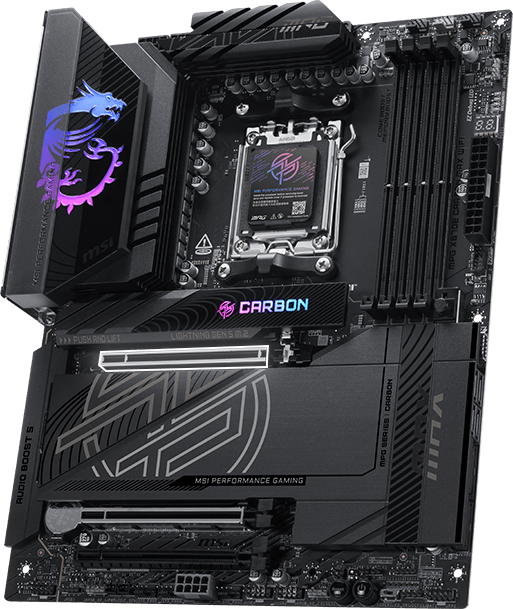

ทนทานต่อการรับน้ำหนักมากขึ้นถึง 1.2 เท่า
Steel Armor II
Steel Armor II แข็งแกร่งขึ้น 21%! รับน้ำหนักการ์ดจอใหญ่ได้ดียิ่งขึ้นเมื่อเทียบกับรุ่นก่อน พร้อมส่งสัญญาณได้นิ่ง นิ่ง เสถียร ไร้สะดุด
ขั้วต่อไฟเลี้ยง PCIe เสริมแบบพิเศษ ช่วยจ่ายไฟเฉพาะสำหรับความต้องการพลังงานสูงของ GPU ที่ใช้ในการประมวลผล AI และการเล่นเกม มั่นใจได้ถึงประสิทธิภาพที่เสถียร มีประสิทธิภาพ และยาวนานต่อเนื่อง เช็กความเข้ากันได้กับพีซีเคส


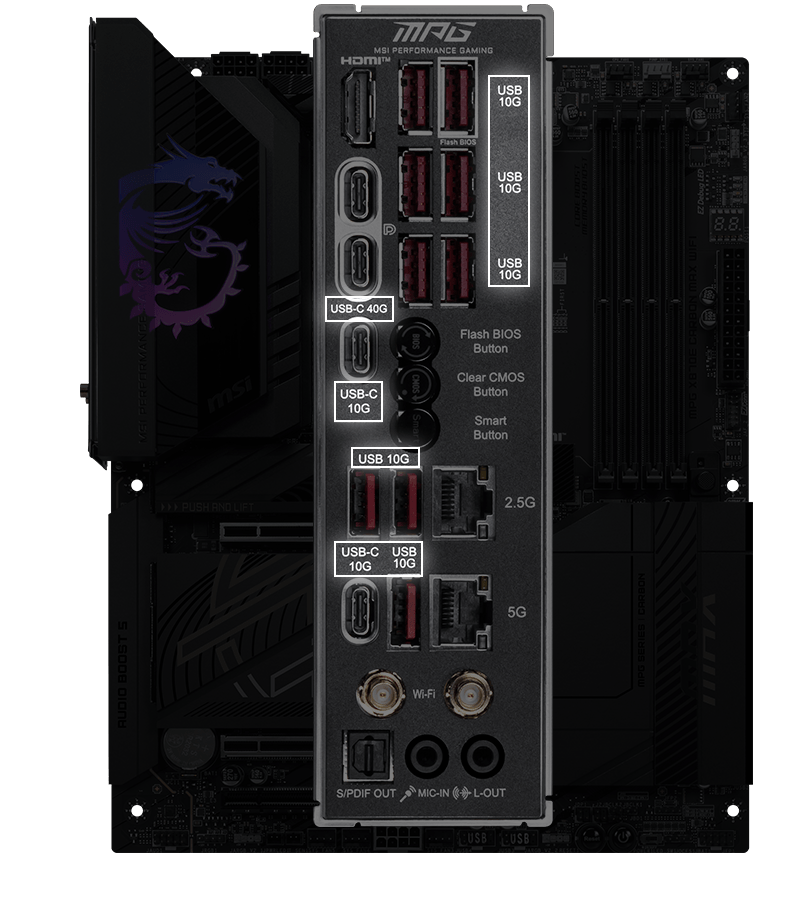
เมนบอร์ด MSI ผสานเทคโนโลยี USB4 ล่าสุดบนเมนบอร์ด MSI ใช้งานได้ครบทุกฟังก์ชัน

อัตราการรับส่งข้อมูลสูงสุดถึง 40Gbps
ถ่ายโอนไฟล์ขนาดใหญ่ได้รวดเร็วยิ่งกว่าที่เคย

รองรับการเชื่อมต่อหลายอุปกรณ์พร้อมกัน
เชื่อมต่อหลายอุปกรณ์ได้ผ่านพอร์ตเดียว

ระบบแชร์แบนด์วิดท์แบบไดนามิก
รับส่งข้อมูล ภาพ และวิดีโอได้พร้อมกันทันที
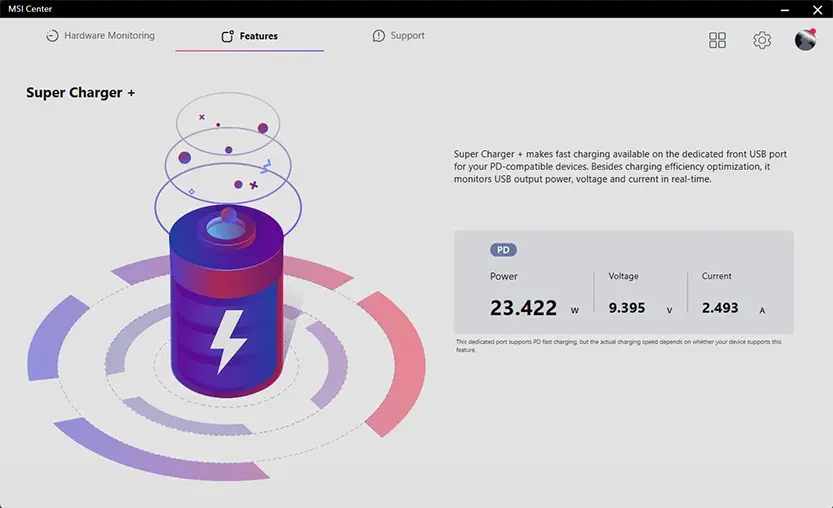
Super Charger + มอบการชาร์จด่วน PD 27W ผ่านพอร์ต USB ด้านหน้าสำหรับอุปกรณ์ที่รองรับระบบ PD โดยเฉพาะ นอกจากจะช่วยเพิ่มประสิทธิภาพในการชาร์จแล้ว ยังคอยตรวจสอบกำลังไฟ แรงดัน และกระแสไฟของ USB แบบเรียลไทม์อีกด้วย

Experience
- audio
- mystic light
- BIOS
- Software
- Audio Boost 5
- ISOLATED ANALOGY STRUCTURE
- HIGH PERFORMANCE ALC4080 AUDIO PROCESSOR
- NEXT-GEN AUDIO CAPACITORS
- HIGH QUALITY AUDIO JACKS WITH S/PDIF
- DEDICATED HEADPHONE AMPLIFIER
- ISOLATED AUDIO SIGNAL
- DE-POP PROTECTION

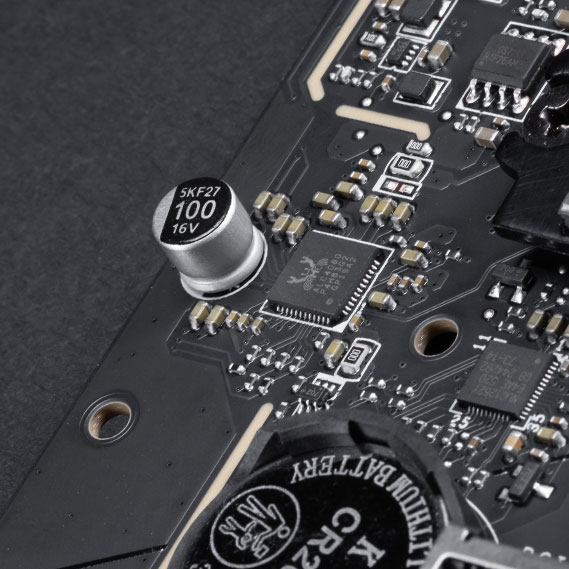


เพื่อเสียงที่คมชัดใส MSI ได้พัฒนาโครงสร้างพิเศษอย่าง Isolated Analogy Structure ซึ่งแยกกรอบโลหะภายนอกของช่องต่อเสียงออกจากแผงวงจรภายใน ช่วยให้มั่นใจได้ว่าคุณภาพเสียงจะคมชัดใสไร้ที่ติ


* ภาพประกอบเพื่อการอ้างอิง ดูรายละเอียดสเปกเพิ่มเติมได้ที่หน้าข้อมูลจำเพาะ
- Mystic Light
- Synchronized
เติมสีสันและความสดใสด้วยเอฟเฟกต์ไฟ RGB ผ่านยูทิลิตี้ Mystic Light ใน MSI Center ที่มีสีสันให้เลือกนับล้านและเอฟเฟกต์ไฟ LED สุดล้ำ สนุกไปกับการควบคุมและความคิดสร้างสรรค์แสงไฟในพีซีของคุณได้อย่างเต็มที่ด้วยซอฟต์แวร์เดียว
-
Wave
-
Steady
-
Flame
-
Breathing
-
CPU Temperature
-
Color Ring
-
Lightning
-
Receration
-
Meteor
-
Default
เติมสีสันได้ตามใจคุณ! พินเฮดเดอร์ Mystic Light Extension มอบวิธีที่ใช้งานง่ายในการควบคุมแถบไฟ RGB เพิ่มเติม รวมถึงอุปกรณ์ต่อพ่วง RGB อื่นๆ ที่นำมาติดตั้งในระบบ โดยไม่จำเป็นต้องใช้กล่องควบคุม RGB แยกต่างหาก
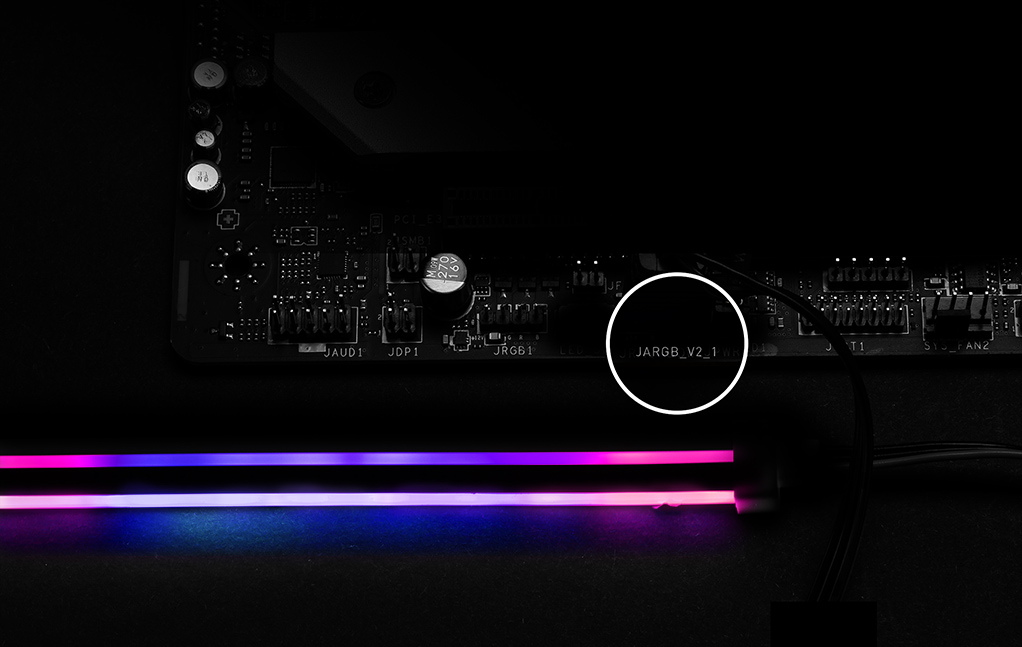
*อุปกรณ์ Gen2 รองรับธีม RGB ได้สูงสุด 7 ธีมเท่านั้น


- Click BIOS X
- BIOS KEY FEATURES
CLICK BIOS X ดีไซน์ใหม่จาก MSI มอบประสบการณ์การใช้งานที่สวยงามสะดุดตาและใช้งานง่าย การออกแบบโฉมใหม่นี้ช่วยให้ผู้ใช้ทุกระดับประสบการณ์สามารถเข้าถึงและปรับแต่งค่าระบบได้อย่างรวดเร็วและง่ายดาย


- MSI CENTER
- AIDA64
- NORTON 360
MSI CENTER
MSI Center โฉมใหม่ล่าสุดจาก MSI รวบรวมยูทิลิตี้ซอฟต์แวร์ต่างๆ ของ MSI เข้าไว้ด้วยกันในแอปพลิเคชันส่วนกลางเพียงแอปเดียว ควบคุมฟีเจอร์ขั้นสูงของเมนบอร์ดและปลดล็อกความเป็นไปได้ที่ไร้ขีดจำกัด


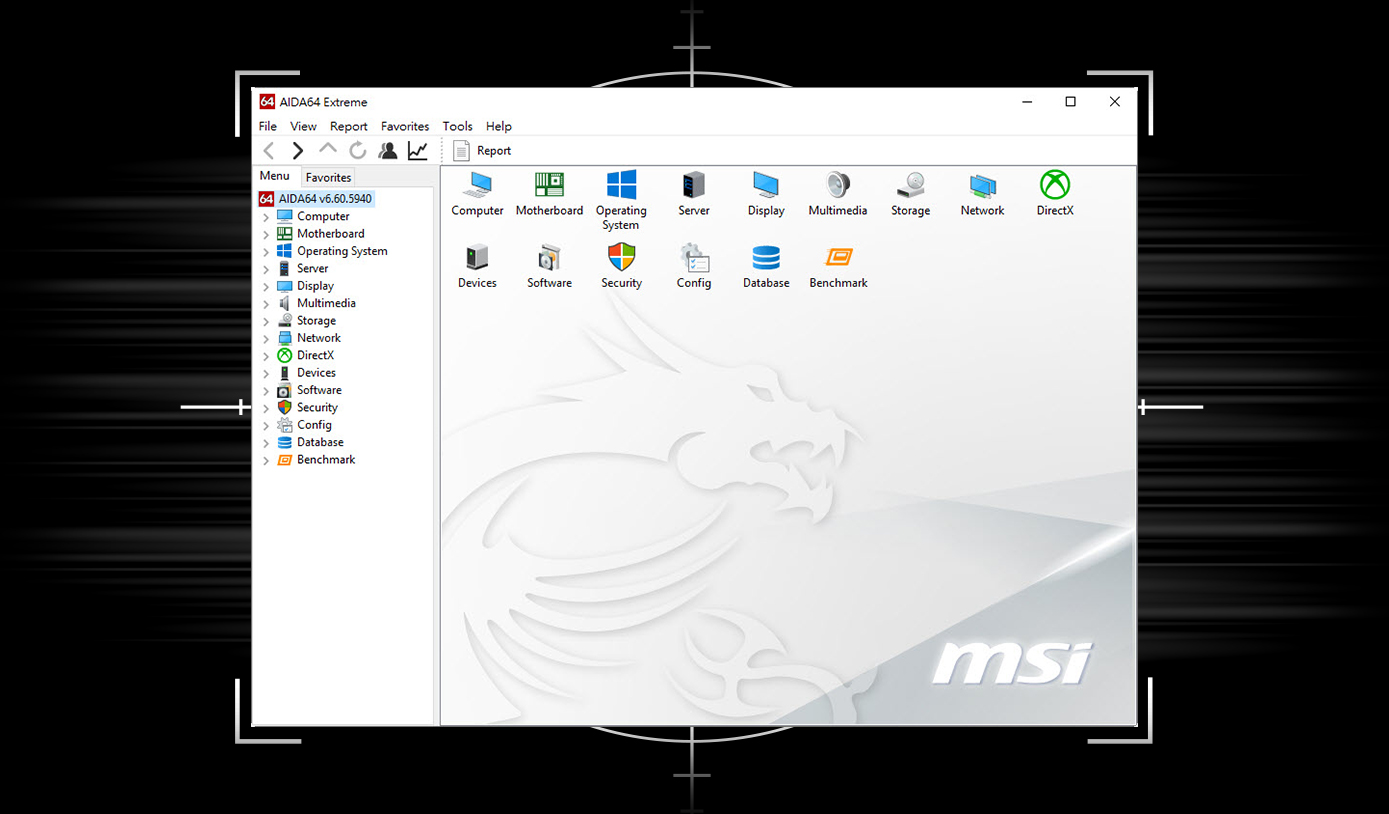
เมนบอร์ด MSI มาพร้อมสิทธิ์ทดลองใช้งาน AIDA64 Extreme - รุ่น MSI edition ฟรี 60 วัน โดย AIDA64 Extreme เป็นแอปพลิเคชันสารพัดประโยชน์สำหรับการตรวจสอบข้อมูลระบบ การวินิจฉัย และการทดสอบประสิทธิภาพ ด้วยแอปพลิเคชันนี้ คุณจะสามารถตรวจสอบข้อมูลโดยละเอียดของฮาร์ดแวร์และซอฟต์แวร์บนพีซีของคุณ พร้อมทั้งสามารถบันทึกข้อมูลออกมาเป็นไฟล์ได้หลากหลายรูปแบบ เช่น CSV และ HTML
การปกป้องหลายชั้นสำหรับอุปกรณ์ของคุณ ฟีเจอร์ความเป็นส่วนตัวออนไลน์รวมถึง Secure VPN ของเรา พร้อมด้วยการตรวจสอบเว็บมืด ทั้งหมดนี้รวมอยู่ในโซลูชันเดียว พิเศษ! เมื่อซื้อเมนบอร์ด MSI คุณสามารถเพลิดเพลินกับการทดลองใช้งาน Norton 360 Deluxe ฟรี 60 วัน.
- สำรองข้อมูลบนคลาวด์สำหรับพีซีสูงสุด 50 GB
- การปกป้องจากภัยคุกคามแบบเรียลไทม์และสมาร์ทไฟร์วอลล์
- ระบบจัดการรหัสผ่าน
- ฟีเจอร์ป้องกันการแอบถ่ายผ่านเว็บแคม

ข้อเสนอทดลองใช้งานจาก MSI นี้ ไม่สามารถใช้ได้กับลูกค้าปัจจุบันของ Norton หากคุณมีแพ็กเกจสมาชิก Norton ที่ใช้งานอยู่ คุณจำเป็นต้องยกเลิกแพ็กเกจสมาชิกปัจจุบันก่อนจึงจะมีสิทธิ์รับข้อเสนอนี้ สำหรับรายละเอียดสำคัญเกี่ยวกับแพ็กเกจสมาชิก ราคา และข้อเสนอ โปรดดูที่ข้อตกลงใบอนุญาตและการบริการของ NortonLifeLock และประกาศความเป็นส่วนตัวเกี่ยวกับผลิตภัณฑ์และบริการของ NortonLifeLock

สร้างสรรค์สุดยอดพีซีขั้นสูงสำหรับการเล่นเกมและการสร้างสรรค์
เมื่อมีเพียงความเร็วสูงสุดเท่านั้นที่ตอบโจทย์ เมนบอร์ดตระกูล AMD X800 คือคำตอบ ด้วยพอร์ต USB 4.0 ในตัว พร้อมความสามารถในการโอเวอร์คล็อกที่ทรงพลัง1 รองรับหน่วยความจำ DDR5 แบบ dual-channel ที่รวดเร็วยิ่งขึ้น เทคโนโลยี AMD EXPO™ และรองรับ PCIe® 5.0 ทั้งสำหรับกราฟิกและ NVMe คุณจึงสามารถเล่นเกมที่ต้องการทรัพยากรสูงที่สุดและส่งมอบโปรเจกต์ที่ใหญ่ที่สุดของคุณได้อย่างราบรื่น ด้วยประสิทธิภาพอันปฏิวัติวงการของเมนบอร์ด AMD X800 และโปรเซสเซอร์ AMD Ryzen™ ซีรีส์ 9000, 8000 และ 7000
- การโอเวอร์คล็อก และ/หรือการอันดอร์โวลต์ โปรเซสเซอร์และหน่วยความจำของ AMD ซึ่งรวมถึงแต่ไม่จำกัดเพียง การปรับเปลี่ยนความถี่ของนาฬิกา / ตัวคูณ /แรงดันไฟฟ้าของหน่วยความจำ เพื่อให้ทำงานนอกเหนือจากข้อกำหนดอย่างเป็นทางการที่ AMD เผยแพร่ จะทำให้การรับประกันผลิตภัณฑ์ของ AMD ที่เกี่ยวข้องทั้งหมดเป็นโมฆะ แม้ว่าจะเปิดใช้งานผ่านฮาร์ดแวร์และ/หรือซอฟต์แวร์ของ AMD ก็ตาม นอกจากนี้ยังอาจทำให้การรับประกันที่เสนอโดยผู้ผลิตระบบหรือผู้จัดจำหน่ายเป็นโมฆะด้วย ผู้ใช้ต้องรับความเสี่ยงและภาระผูกพันทั้งหมดที่อาจเกิดขึ้นจากการโอเวอร์คล็อกและ/หรือการอันดอร์โวลต์โปรเซสเซอร์ของ AMD ซึ่งรวมถึงแต่ไม่จำกัดเพียง ความล้มเหลวหรือความเสียหายต่อฮาร์ดแวร์ ประสิทธิภาพของระบบที่ลดลง และ/หรือการสูญหายของข้อมูล การทุจริตของข้อมูล หรือช่องโหว่ GD-106
© 2024 Advanced Micro Devices, Inc. สงวนลิขสิทธิ์ทั้งหมด AMD, โลโก้ลูกศร AMD, Radeon, Ryzen และการรวมกันดังกล่าวเป็นเครื่องหมายการค้าของ Advanced Micro Devices, Inc. ชื่อผลิตภัณฑ์อื่นๆ ที่ใช้ในสิ่งพิมพ์นี้มีไว้เพื่อวัตถุประสงค์ในการระบุตัวตนเท่านั้น และอาจเป็นเครื่องหมายการค้าของเจ้าของรายนั้นๆ
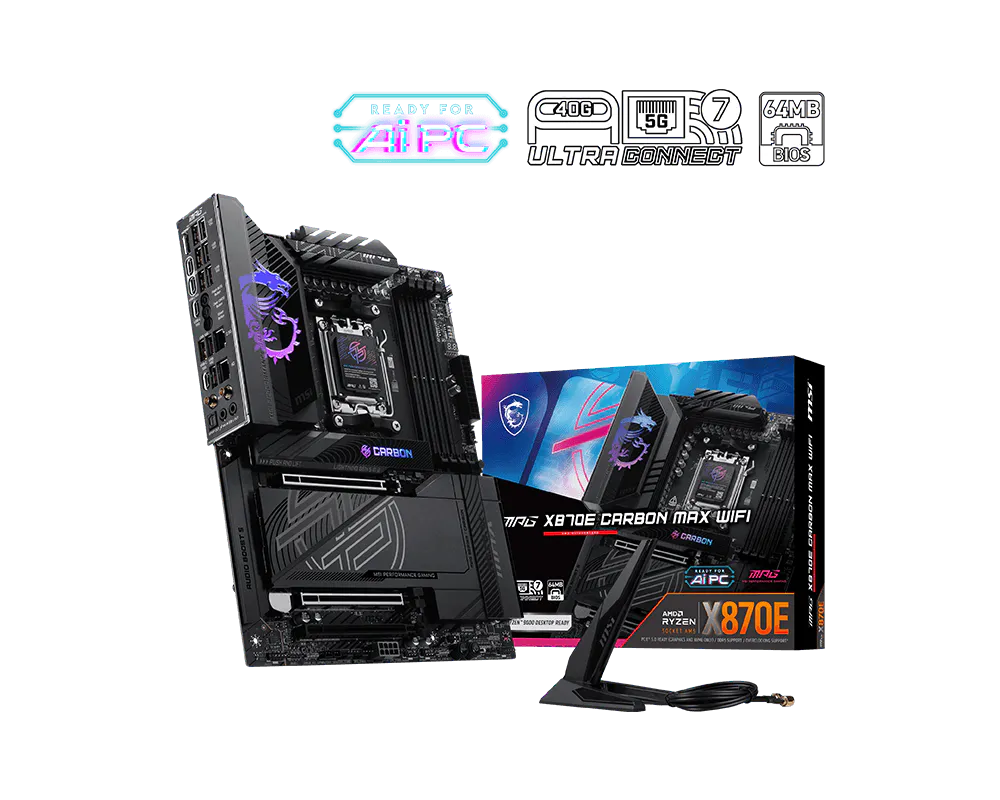
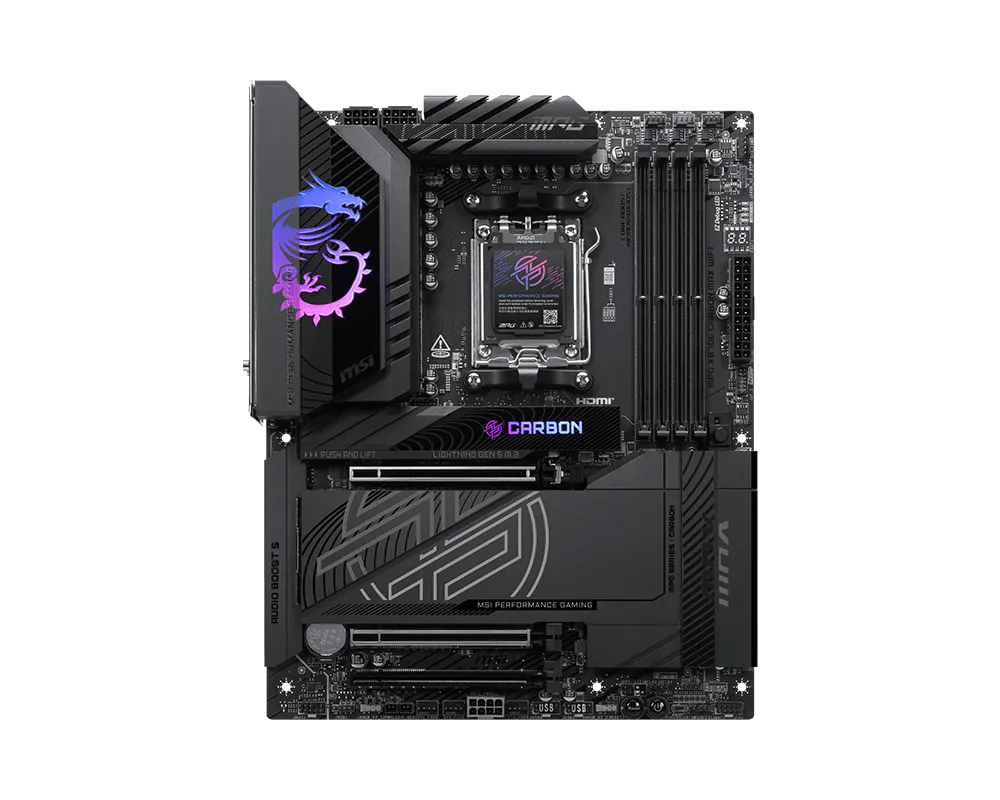
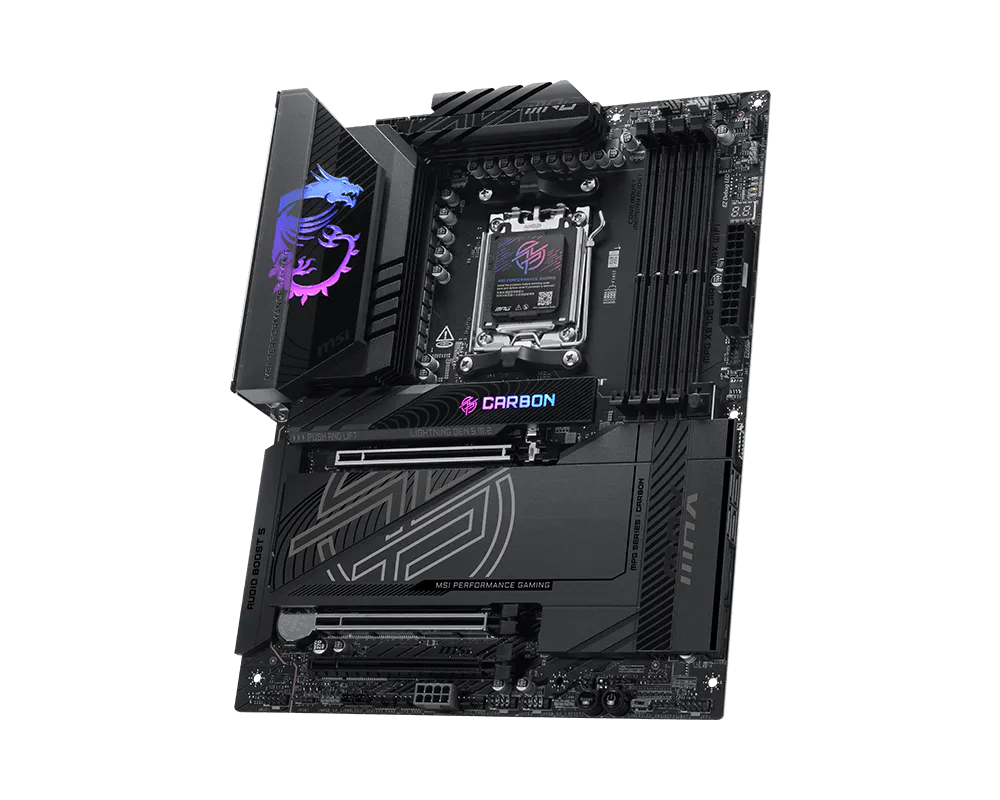
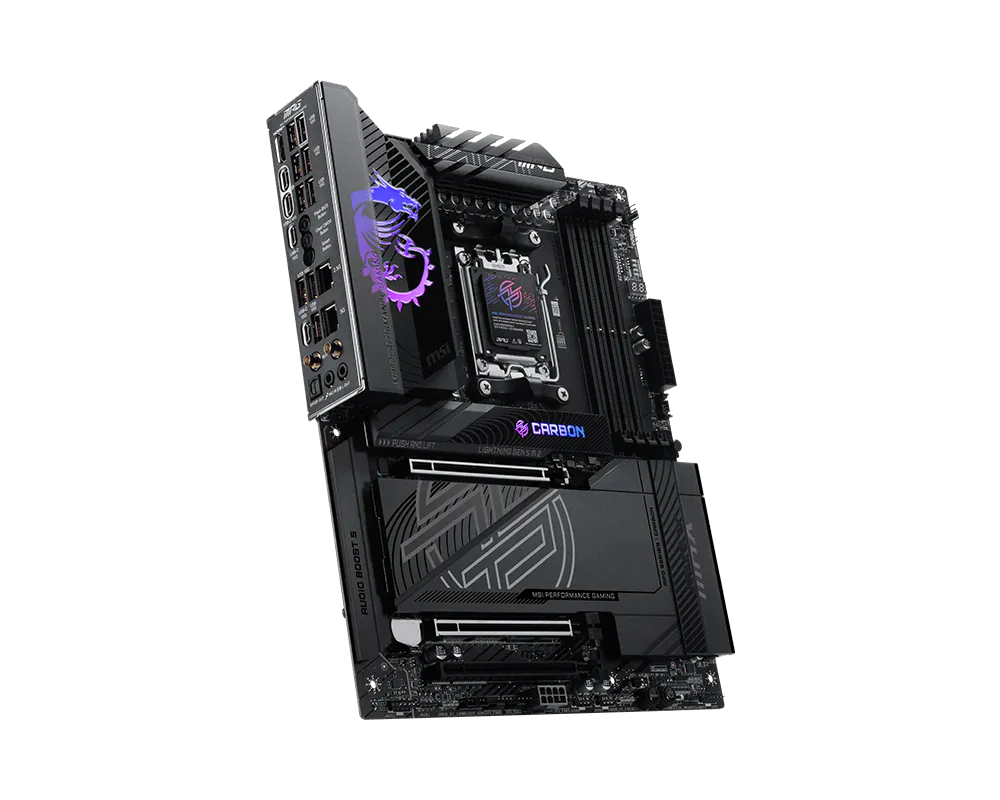
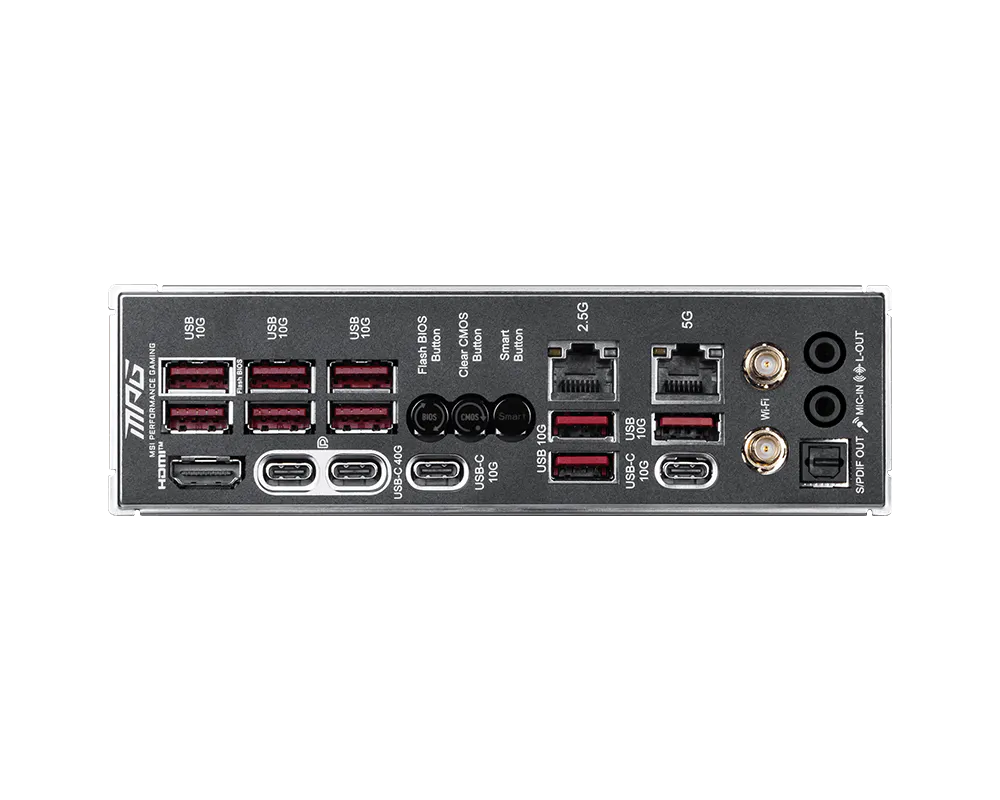
MPG X870E CARBON MAX WIFI
- Supports AMD Ryzen™ 9000 / 8000 / 7000 Series Desktop Processors
- Supports DDR5 Memory, Dual Channel DDR5 8400+ MT/s (OC)
- Ultra Performance: 18+2+1 Duet Rail Power System, OC Engine, dual 8-pin CPU power connectors, Core Boost, Memory Boost, 8-layer PCB made by 2oz thickened copper and server-grade level material
- Frozr Guard: Enlarged heatsink with heat-pipe, MOSFET thermal pads rated for 7W/mk, additional choke thermal pads and M.2 Shield Frozr are built for high performance system and non-stop gaming experience
- EZ DIY: 64MB BIOS ROM, EZ PCIe Release, EZ M.2 Shield Frozr II, EZ M.2 Clip II and EZ Antenna
- Lightning Fast Game experience: PCIe 5.0 slot, Lightning Gen 5 M.2
- Ultra Connect: USB4 and 5G LAN + 2.5G LAN with Wi-Fi 7 Solution - The latest solution for professional and multimedia use, delivering secure, stable, and high-speed networking and data transmission
- Audio Boost 5: Reward your ears with studio grade sound quality for the most immersive gaming experience